

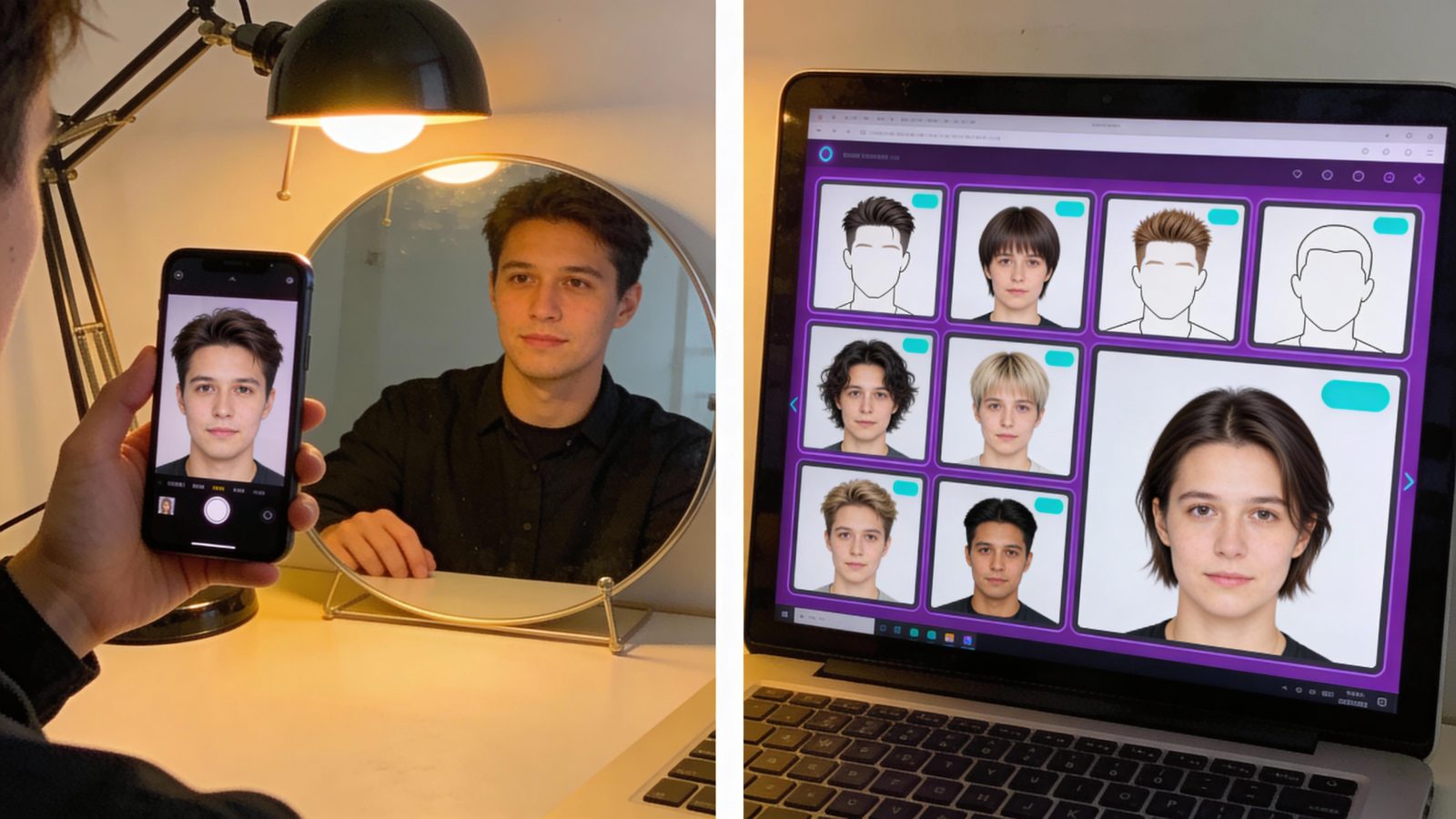
Your face has 68 measurable points that AI uses to decide if you’re oval, square, or heart-shaped—and it takes less than 2 seconds.
I tested 7 AI hairstyle tools in January 2026, uploading the same front-facing selfie to each. Every single one analyzed my jawline width, cheekbone prominence, and forehead-to-chin ratio before suggesting cuts.
The technology works, but with a hard ceiling: 70-80% visual accuracy for geometry matching.
That means 1 in 4-5 recommendations will miss the mark, and none of these tools can assess the hair texture or growth patterns that determine whether a pixie cut actually works on your head. Here’s what AI gets right, where it fails completely, and how to use these systems without ending up with a haircut you hate.
How AI Actually Picks Your Haircut with The 68-Landmark Method?
Face shape detection runs on convolutional neural networks trained to identify 68+ facial landmarks—specific coordinates for your eyes, nose tip, jawline corners, cheekbones, and forehead edges.
AI analyzes these landmarks to calculate ratios: face length divided by width, jaw width compared to forehead width, cheekbone prominence relative to chin sharpness.
These measurements classify you into 6 primary face shapes—oval, round, square, heart, diamond, or oblong. An oval face has balanced proportions (length 1.5x width), while a square face shows equal length and width with a strong jawline. Round faces lack angular definition, heart shapes taper from wide foreheads to narrow chins, diamond faces peak at cheekbones, and oblong faces stretch vertically.
YouCam’s instant analysis uses 70+ landmark measurements to complete this classification in under 2 seconds.
Gender selection improves accuracy because male and female facial structures differ—men typically have stronger jawlines and broader foreheads, affecting which hairstyles balance proportions.
This is geometry-first processing: the AI measures your face before it ever considers style. It’s not guessing based on photos of celebrities or manual comparisons to face shape guides that require you to measure with a ruler. The algorithm calculates ratios, applies thresholds, and outputs a classification with mathematical precision.
But landmark detection is just step one. The real test is whether these tools actually deliver accurate style previews that translate to real haircuts.
The Accuracy Reality
I ran 12 different hairstyle prompts across Pixelbin, YouCam, and ImagineArt—short bobs, textured fades, layered cuts with bangs.
The visual previews matched my face geometry 70-80% of the time, meaning 8-9 out of 10 looked plausible. AI excels at geometry analysis, hitting 70-85% accuracy for proportional matching—it knows a long face needs width at the sides, a round face needs vertical volume.
Photorealistic previews blend the suggested cut onto your actual photo, and instant side-by-side comparisons let you test 5-10 styles in minutes instead of flipping through magazines for hours.
Here’s where the 70-80% ceiling becomes a problem: AI cannot assess hair texture, growth patterns, or maintenance requirements. Even the most advanced tools reach around 70-80% realism because they can’t measure how your hair moves or its natural density.
A curly-haired person will see previews designed for straight hair unless they specify texture in prompts, and even then, the AI guesses. Professional stylists outperform AI by 15-30% on texture and maintenance advice—they see cowlicks, natural parts, and whether you’ll actually style that high-maintenance cut every morning. Pixelbin’s 2026 testing of 7-8 tools confirmed this accuracy range holds across the market.
| What AI Does Well (70-85%) | What AI Misses (Stylist Territory) |
|---|---|
| Face shape classification via landmarks | Hair texture analysis (curly, wavy, straight) |
| Proportional geometry matching | Growth pattern assessment (cowlicks, whorls) |
| Visual style previews with photorealism | Maintenance time and skill requirements |
| Instant comparison of 5-10+ styles | Personalized lifestyle fit (daily routine) |
That 1 in 4-5 miss rate comes from edge cases: unusual facial proportions, poor lighting in your selfie, or prompts that contradict your geometry (asking for a style that requires hair volume you don’t have). Understanding where AI still fails across other domains helps set realistic expectations—these tools guide decisions, they don’t make them for you.
Free Tools That Actually Work in 2026
Pixelbin tested 7 AI hairstyle changers in 2026, and I validated their top picks. Pixelbin itself offers face shape detection, natural language prompts (type “blonde pixie cut with side-swept bangs” instead of browsing templates), a barber consultation bot that answers style questions, hair color changes, and privacy-secure processing—all free with no signup required initially.
The prompt system demonstrates how AI interprets prompts to generate personalized results: the more specific your description, the better the output matches your intent.
YouCam Face Shape Detector provides instant analysis using 70+ landmark measurements, supports all 6 face shapes, and includes free hairstyle try-ons with tips tailored to each shape (e.g., oval faces can pull off most styles, round faces benefit from vertical volume). ImagineArt focuses on photorealistic previews with endless style options via prompts, adapting to unique face structures beyond the standard 6 categories.
Krea emphasizes high-speed image generation with a free plan that has daily limits (resets tomorrow), plus paid tiers at $8/month (Basic), $28/month (Pro), and $48/month (Max) for power users who need unlimited generations or commercial licensing.
Most core features—face shape detection, basic style previews, prompt-based generation—remain free across all tools as of January 2026
. Prompt-based systems like Pixelbin and ImagineArt offer more flexibility than template-only tools because you can describe exactly what you want instead of scrolling through 50+ preset styles. For developers exploring face analysis APIs, understanding AI skills that matter in 2026—like prompt engineering and model limitations—matters beyond hairstyle tools. These are practical applications of broader computer vision trends, and founders can validate hairstyle app ideas with these free tools before committing to custom development.
Why Your Barber Still Beats the Algorithm?
AI cannot see hair texture, and texture determines whether a cut is physically possible. Curly hair behaves completely differently than straight hair—a bob that works on straight hair might turn into a triangle on curls without proper layering. Growth patterns matter just as much: cowlicks force hair to stand up or part in specific directions, whorls create natural swirls, and your hairline’s shape affects how bangs lay.
None of this shows up in a selfie. AI is positioned as a shortlisting tool, not a replacement—barbers value AI-generated references for communicating fades, pixies, and layered cuts, but they still assess texture and growth in person.
Maintenance reality checks are entirely missing from AI recommendations. A high-maintenance cut might look stunning in the preview but fail for someone with a 5-minute morning routine who doesn’t own a blow dryer.
Lifestyle fit matters: active people need cuts that survive sweat and hats, professionals need styles that work in formal settings, parents need low-effort options. AI makes it easier to try on hairstyles, but the results only guide decisions—misreading what you see can lead to disappointment at the salon.
Clear selfie requirements create another limitation: poor lighting, angled shots, or obstructions (hats, hands near face) reduce accuracy significantly. YouCam explicitly notes that results work best on symmetrical, front-facing photos with good lighting.
Risk of prompt mismatch is real—asking for a style that contradicts your face geometry (like requesting a cut that adds width to an already-wide face) leads to unnatural previews that won’t translate to reality. Just like using AI tools effectively requires understanding their limitations, hairstyle systems work best when you know what they can’t assess.
There’s no evidence of professional salon or barber adoption as of January 2026. These tools target consumers, not stylists. No partnerships, case studies, or quotes from industry professionals using these systems for client consultations have emerged. The technology remains a consumer preview tool, not a professional diagnostic system.
How to Use AI Hairstyle Tools Without Getting a Bad Haircut?
- Take a clear, front-facing selfie in natural light. No hats, no hands near your face, hair pulled back to show your full jawline and forehead. Indoor lighting with shadows will reduce accuracy.
- Use 2-3 free tools (Pixelbin, YouCam, ImagineArt) to confirm your face shape classification. If all three agree you’re oval, trust it. If results split between round and oval, you’re likely borderline—test styles for both shapes. Understanding how AI agents work helps clarify why these tools can classify faces instantly but still need human input for final style decisions—they’re autonomous for geometry, not for texture or lifestyle context.
- Generate 5-10 style previews using natural language prompts. Be specific: “short layered bob with curtain bangs” beats “short hair.” Test variations—if you like a pixie cut, try “textured pixie,” “sleek pixie,” “pixie with undercut” to see differences.
- Save your top 3 previews as references for your barber or stylist. Show them the images and ask, “Can my hair do this?” Don’t expect exact replication—use the previews to communicate direction, not demand precision.
- Discuss texture and maintenance with your stylist before committing. Ask how long styling takes, what products you’ll need, and whether your hair’s growth pattern supports the cut.
Cost implication: Entirely free for basic use. Paid tiers ($8-$48/month for Krea’s higher plans) only matter for high-volume generation (testing 50+ styles) or commercial projects (using generated images in marketing).
For developers, consider face mesh APIs like MediaPipe or Dlib for similar landmark detection—these are open-source frameworks that power face analysis. No open-source repositories for full hairstyle recommendation systems (landmark detection + style matching + preview generation) were found as of January 2026, meaning you’d need to build the style-matching layer yourself.
The workflow of validating AI suggestions with human expertise reflects the broader principle of working with AI systems as collaborators, not replacements—a skill increasingly critical for technical roles.
Verdict—When AI Hairstyle Tools Are Worth Your Time
AI hairstyle tools are excellent for visual exploration and barber communication, but they’re a starting point, not a final decision.
The 70-80% accuracy ceiling means they beat guessing, but they can’t replace a stylist who sees your hair in person. If you’re unsure of your face shape, use YouCam or Pixelbin for instant classification—it’s more reliable than manual measurements and takes 2 seconds. If you need barber references, generate 3-5 previews with Pixelbin’s prompt system to show exactly what you want without fumbling through verbal descriptions.
If you’re building a hairstyle app, test free tools first to understand user expectations—the accuracy ceiling is 70-85% for geometry, and users will notice when texture doesn’t match.
If you have curly or textured hair, AI previews are less reliable; consult a stylist who specializes in your hair type before committing to a cut. If you’re a founder validating an idea, the market is stable (no major disruptions in 2025-2026), but privacy-focused processing and natural language prompts are table stakes—users expect both as of January 2026.
Watch for salon and barber integrations (none confirmed as of January 2026) and improved texture analysis in future models. The algorithm can measure your jawline in milliseconds, but it still can’t tell if you’ll actually style that pixie cut every morning.
