

Hermes is one of the most capable autonomous AI agents currently available, and unlike most things in this category, you can install it on a small cloud server for the price of a coffee a month. This guide takes you from no infrastructure to a working agent that can take instructions over Telegram, run scheduled tasks while you sleep, and learn from its own work over time. No coding required. No expensive hardware required. A modest VPS at five to ten dollars a month is enough.
If you are coming to this from the Hermes versus OpenClaw debate, the practical case is settled enough. The interesting question is no longer which agent framework to choose. It is how to actually get one running. That is what follows.
Why Hermes is worth the install
The short version of why Hermes deserves the time investment is the learning loop. Most AI agents complete a task, return a result, and forget the entire experience. Hermes does the same task. Then it writes a reusable procedure describing how it solved the task. It stores that procedure as what the framework calls a “skill.” The next time something similar comes up, it loads the skill instead of reasoning from scratch. If the new attempt produces a better outcome, the skill gets updated.
This is a closed-loop self-improvement mechanism. The agent does not get smarter by retraining a model. It gets smarter by accumulating concrete experience of how you specifically work on your specific problems. A Hermes instance on day 30 is functionally a different tool than the same instance on day 1, and that difference compounds.
The other meaningful detail is that the entire project is open source. The code is public. You can read it, modify it, redistribute it, build other tools on top of it. That matters more than it usually does in this category, because it changes the trust calculus of running an autonomous agent.
Where to run Hermes
Hermes is built in Python and is light enough to run almost anywhere: a laptop, a desktop, even a phone in some configurations. None of those are the right answer for daily use.
The right answer is a small cloud server. The reason is mostly practical. An autonomous agent earns its value when it runs continuously, including overnight, including while you are away from your machine, including when you are on a different device. None of that works if the agent lives on your laptop and your laptop closes at the end of the day.
The standard pattern is a VPS, a virtual private server. Any reputable VPS provider works. Choose one that lets you select a Linux distribution at provisioning, ideally Ubuntu, and offers a reasonable allotment of CPU, RAM, and bandwidth at the entry tier. A KVM-style plan with one or two virtual cores and 4 GB of RAM is enough to get started. You can scale up later when usage demands it.
Running Hermes on your personal machine is not a security disaster, but an autonomous agent with unsupervised access to your personal files is a category of risk worth avoiding. A separate VPS isolates the agent from your everyday environment. Anything it touches, you put there on purpose.
Step 1: Provision the server
Set up the VPS with your provider of choice. The configuration choices that matter:
- Location. Pick a data center geographically near you to keep latency low. EU residents should choose a European location for both performance and data residency.
- Operating system. Select Ubuntu. Hermes runs well on it, and most of the agent ecosystem assumes a Debian-based Linux underneath. Other distributions work but require more troubleshooting.
- Root password. Set one and store it in a password manager. You will need it on every connection.
- Hostname. Once the server is provisioned, rename the hostname to something descriptive (for example,
hermes-prod). When you eventually run more than one agent, you will be grateful for the labels.
The server will take a few minutes to come up. When it is ready, copy the SSH connection string from your provider’s dashboard. It will look something like ssh root@123.45.67.89.
Step 2: Connect to the server
On Windows, open the Command Prompt (search for “cmd”). On macOS or Linux, open Terminal. Paste the SSH command, press Enter, type yes when prompted about the host fingerprint, and enter the root password when asked.
One detail that confuses newcomers: when you type the password, nothing appears on screen. No dots, no asterisks. This is intentional. Type the password and press Enter. You should land in a Linux shell on the server, with a banner showing the OS version, disk usage, and CPU statistics.
Step 3: Install Hermes
The Hermes installation is a single command, available on the official Hermes website under the Linux installation section. Copy the command, paste it into your SSH session, press Enter. The installer pulls down dependencies and sets up the framework. This step takes a few minutes.
When installation completes, the installer offers a choice between a quick setup (which connects you to Hermes’ own hosted LLM) and a full setup (which lets you choose which model to plug in). Pick the full setup. The flexibility pays back.
Step 4: Connect a model
The full setup will display a list of supported LLM backends. Hermes is a harness; it executes via whatever model you connect to it. The choices that work well at the start:
- Codex (OpenAI). If you already pay for ChatGPT, you can authenticate Hermes against your existing subscription and use it as the agent’s brain at no additional cost. This is currently the most cost-effective way to start.
- Claude (Anthropic). Higher cost per token, but strong on long-running agentic tasks. Best if you already have an Anthropic API key or a Claude plan that allows external tool integration.
- Grok (xAI). Works on a similar pattern to Codex if you have an X Premium subscription.
- Local models via Ollama. Slower and less capable than the frontier options, but your data never leaves your VPS. The right choice for sensitive workloads.
Whichever you pick, the installer walks you through authentication. For Codex specifically, you may need to enable “device-code authentication” inside your ChatGPT account security settings. The installer will open the relevant authorization URL; complete it in your browser, paste the resulting code back into the terminal, and the connection is made.
Step 5: Choose a communication channel
Hermes can be addressed through several channels: terminal, email, Discord, WhatsApp, Telegram. The right starter channel is Telegram, for three reasons. It is fast to set up. It works on every platform. And the desktop client makes copy-paste and document handling much easier than the mobile app alone.
To create the Telegram bot the agent will use:
- Open Telegram. Search for
BotFather(the verified one with the checkmark). - Start a conversation with BotFather and send
/newbot. - Enter a name for your bot (this is the display name, choose anything you like).
- Enter a username for the bot. It must end in
bot. The username must be unique on Telegram. - BotFather returns a token. Copy it.
Paste the token back into the Hermes installer when prompted. The installer then asks for the Telegram user ID of the people allowed to talk to the agent. Restricting access to yourself, at least at first, is the right default. To get your own Telegram user ID, search for your new bot in Telegram, click Start, and the bot will reply with your ID. Copy it, paste it into the installer, confirm.
Restricting who can talk to your agent is a real security control. An autonomous AI with access to your files and tools should not also be reachable by anyone on the internet who happens to find your bot. Set the allowlist before the agent goes live.
Step 6: Run Hermes as a background service
The final installer step asks whether to run Hermes in the background. On a VPS, the answer is yes, configured as a system service running under the root user. This keeps the agent online even when you close your SSH session. Confirm the prompts, and the installation completes.
Talking to the agent for the first time
Two entry points are now available.
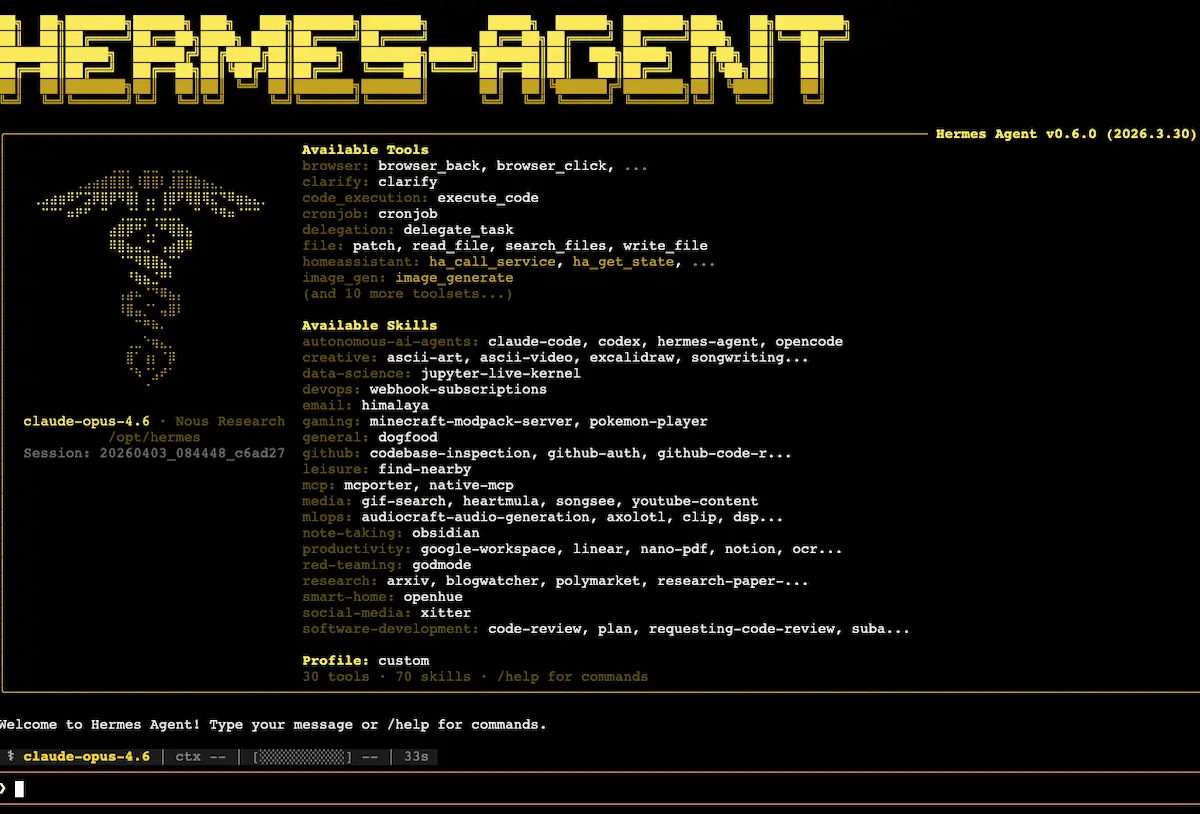
From the VPS, typing hermes at the shell opens the agent’s terminal interface. You can chat with it directly here. This is useful for debugging and for one-off interactions while you are already logged in.
From anywhere with a phone or laptop, opening your Telegram bot conversation lets you talk to the agent without needing to be on the server. Send a “hello.” The agent responds. The connection is verified.
If you have never run an autonomous agent before, this is the moment that feels different from using a chatbot. You are talking to a process running on a cloud server, capable of taking instructions, executing real actions on the internet and inside its environment, and remembering what it did the next time you talk to it.
The first useful workflow: a morning brief
A good first workflow demonstrates what Hermes does that a chatbot does not: scheduled, autonomous, recurring work.
From the Telegram conversation, send a message like:
“Create a task called morning_brief. Every morning at 7am, send me a short briefing: the day and date, the three most significant news items from the last 24 hours in [your domain of interest], with one sentence and one short analysis each. Send it to this Telegram channel.”
Hermes parses the instruction, recognizes that you are asking for a recurring scheduled task, sets up the cron-style job, and confirms. Every morning at 7am, you will receive the briefing without further action.
You can substitute “robotics,” “your sector,” “your investment watchlist,” “rental listings in your target area,” “the indie sneaker drops you follow,” or any other domain. The same primitive scales to any topic the model can research.
To trigger the task manually for testing rather than waiting until 7am, exit the agent (Ctrl+C) and run hermes cron run morning_brief from the shell. The next scheduler tick will fire it.
The second useful workflow: a lead-research agent
The more impressive demonstration is delegating real research work. Send a message like:
“Search online for plumbers and heating contractors around [your city]. Identify the ones that don’t appear to have an active marketing campaign. Bring me three qualified leads: business name, phone number, an angle for improving their brand positioning, and a pitch for a Google Ads or Meta campaign. Present this as a table.”
What follows is genuinely different from a chatbot interaction. Hermes runs the search, navigates to relevant sites, takes screenshots of pages to understand them visually, scrolls, evaluates whether each candidate fits the criteria, and discards businesses that are too large or already well-marketed. The first execution takes 15 to 20 minutes. The output is a usable table.
The point of this workflow is not that the output is publication-ready. It is that the same task, given to a human assistant, would take a comparable amount of time and a real hourly cost. Done by Hermes, it costs the tokens consumed by your connected model (or nothing extra if you authenticated against an existing subscription) and your attention to nothing in particular while it runs.
The mental model that unlocks Hermes is treating it as a virtual employee rather than a search tool. The right question to ask yourself is not “what can I look up faster” but “what would I delegate to a junior assistant if I had one on call.” That is the workload Hermes is designed to absorb.
The memory pattern you need to know about
One detail trips up almost everyone running their first recurring workflow. Hermes remembers tools it has built, skills it has acquired, and methods it has learned. It does not, by default, remember the content of previous task runs.
Concretely: if your lead-research task runs every day, Hermes will get faster and more capable at doing the research itself, but it will not automatically remember which leads it has already surfaced. You will get the same names repeatedly unless you tell it not to.
The fix is to give the task a file to read from and write to. Add to your task prompt:
“At the start of each run, read the file leads_already_found.txt. Do not return any business that appears in this file. At the end of the run, append the new businesses to the file.”
Hermes now maintains a persistent record across runs without needing any database setup. This pattern, an external text file as task-specific memory, scales to almost every recurring workflow you will build.
Useful housekeeping commands
A few commands worth knowing once you have more than two or three scheduled jobs running.
hermes cron list shows all scheduled tasks, their next trigger time, and their last run status. As your agent accumulates workflows, this is the single most useful diagnostic command.
hermes gateway setup reopens the channel configuration if you want to add a new way to talk to the agent (WhatsApp, Discord, email) without reinstalling.
/help inside the Hermes terminal interface lists all currently available commands for your installation.
When something is not working the way you expect, screenshot the error and paste it into Claude or ChatGPT with a description of what you were trying to do. Modern LLMs are excellent at diagnosing exactly these kinds of CLI and VPS issues, and the answer is usually one or two messages away.
A word on cost discipline
The economics of running an agent like this are favorable but not free. Two patterns keep the bill small.
First, use a connected subscription where possible. Codex authenticated against an existing ChatGPT subscription costs nothing extra. Same for Grok with X Premium. The per-token API cost path is for industrial workloads, not for first experiments.
Second, give every task a stopping criterion. The model can run for a long time on open-ended goals, and on a metered backend that translates directly into spend. Be specific about when the work is done.
Frequently Asked Questions
Do I need to know how to code to install Hermes?
No. The installation is a single command on the server side, and the rest of the configuration is a series of prompts answered in plain text. If you can copy and paste a command into a terminal and follow on-screen instructions, you have the skills needed.
Why a VPS rather than my own computer?
Two reasons. An autonomous agent earns most of its value when it runs continuously, including while your machine is off, asleep, or with you. And isolating the agent from your personal files limits the blast radius if anything goes wrong. A small VPS solves both.
How much does it cost to run?
The infrastructure is typically five to ten dollars a month for an entry-tier VPS. The model usage depends on which backend you connect. Using a connected subscription (ChatGPT, Grok) avoids per-token API charges entirely. Using API-direct pricing scales with how much you use the agent.
Which model should I connect to Hermes?
For learning and light workloads, Codex authenticated against a ChatGPT subscription is the most cost-effective. For long-running agentic tasks, Claude tends to perform best. For sensitive data, a local model via Ollama keeps everything on your own server. Many users mix models by task, using a cheap model for routing and a stronger one for the hard work.
How does Hermes “remember” things?
Hermes has persistent memory for tools, skills, and methods it acquires over time. It does not by default retain the specific content of previous task runs. For workflows that need historical awareness (avoiding duplicate leads, tracking previously seen items), the standard pattern is to have the task read from and write to a plain text file as its persistent record.
Can I talk to Hermes from my phone?
Yes. The Telegram channel set up during installation lets you address the agent from any device with Telegram installed. The agent processes the message on the VPS and replies in the same conversation. Email and WhatsApp gateways work the same way if you prefer those channels.
