


Claude Code is getting easier by the week. Yet most people still struggle to get consistent results. The reason is surprisingly simple: they start building before they have a real plan.
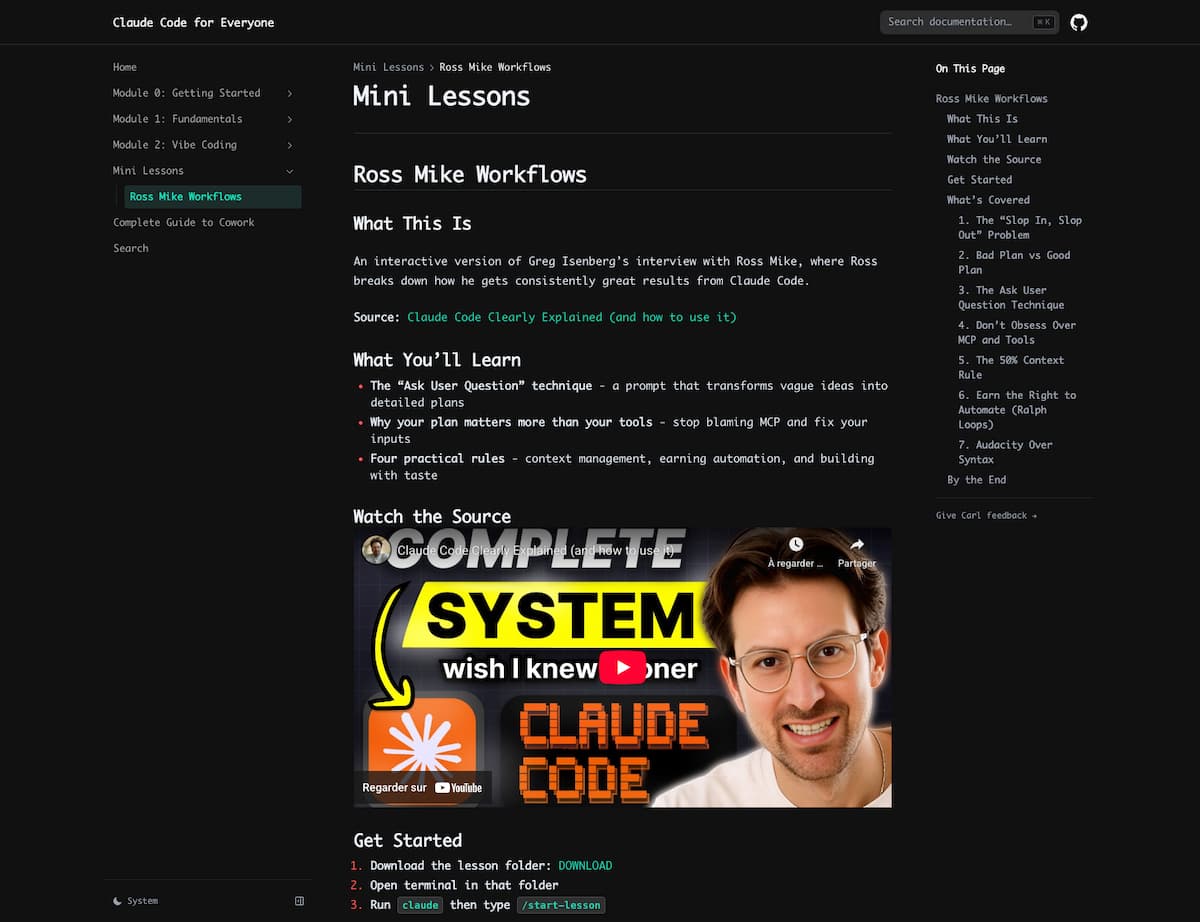
A free interactive mini-lesson called “Ross Mike Workflows” turns a popular Claude Code interview into a hands-on experience you can run directly inside Claude Code.
Its focus isn’t tools. It’s thinking clearly before you type a single line of code.
What this mini-lesson actually is ?
This 31 min vid is the most CLEAR explanation on how ANYONE can get started with Claude Code that exists on the internet pic.twitter.com/mdGV4mJhqj
— GREG ISENBERG (@gregisenberg) January 19, 2026
The lesson is based on an interview between Greg Isenberg and Ross Mike, but instead of watching passively, you interact with the material inside your own Claude Code environment.
You download a lesson folder, open it locally, and let Claude guide you step by step through the workflow. It feels less like a course and more like a guided build session.
How to run it in under two minutes?
- Download the lesson folder from the official page.
- Open your terminal inside that folder.
- Run
claude, then type/start-lesson.
From there, Claude walks you through the concepts interactively, asking questions and adapting as you go.
Why this matters more than another prompt list
Most Claude Code failures are not model failures. They are planning failures.
When you ask for “an app” without clarity, Claude has to guess everything: features, structure, UX decisions, edge cases, and priorities. Those guesses compound into output that feels generic or off-target.
This lesson focuses on one core idea: better inputs lead to dramatically better outputs.
Seven ideas worth stealing immediately
1. “Slop in, slop out” is the real bottleneck
Vague requests produce vague results. Not because Claude is weak, but because it’s forced to invent decisions you should be making yourself.
2. A good plan removes guessing
The lesson contrasts shallow plans with detailed ones that include features, success criteria, constraints, and trade-offs. Same idea. Completely different outcome.
3. Let Claude interview you before building
One of the most useful techniques is asking Claude to challenge your plan before it writes any code. You answer hard questions first. Claude executes later.
4. Tools rarely fix unclear thinking
When output disappoints, the instinct is to add plugins, servers, or integrations. The lesson’s perspective is blunt: most problems start upstream, not in tooling.
5. Manage context before it manages you
Long sessions degrade over time. The workflow recommends restarting clean once context grows heavy, carrying forward only a concise summary of progress.
6. Earn the right to automate
Automation is powerful but dangerous if you don’t understand the process manually first.
Build slowly, feature by feature, before scaling or looping anything.
7. Taste is becoming the real advantage
If everyone can build software, what matters is judgment: what to build, what to cut, and what to leave out.
That’s where differentiation now lives.
Who this lesson is best for
- Beginners who want structure instead of random prompt tricks.
- Builders tired of restarting projects that never feel right.
- Operators and founders who want Claude Code to produce usable work, not demos.
A simple way to apply this tomorrow
- Write a one-page plan describing what you’re building and why.
- Ask Claude to question every unclear part of the plan.
- Build one feature at a time and test it immediately.
- Restart clean when sessions get heavy or confusing.
Bottom line
Claude Code isn’t just about writing code faster. It’s about turning messy intent into structured execution.
This mini-lesson is valuable because it teaches the part most people skip: clarity before speed.
Run it once, internalize the workflow, and reuse it every time you start a new project.
