


Most people still use AI like a chatbot. They ask a question, get an answer, then move on. That is not what Claude Cowork is built for.
Claude Cowork is designed to act more like a practical digital operator than a simple assistant. It can work inside a lightweight virtual environment on your computer, interact with your real files, connect to your everyday tools, navigate the web, and execute structured workflows for you.
Once you teach it how you work, it can repeat those workflows with surprising consistency.
Claude Cowork is not just another AI interface. It is a practical execution layer that can organize files, extract structured information, connect to apps, automate recurring work, and turn one instruction into multiple deliverables. The real power comes from combining connectors, reusable skills, and scheduled tasks to create workflows that keep running with minimal effort from you.
What Claude Cowork Actually Is?
Claude Cowork is available inside the Claude Desktop application. That matters because Cowork is not just an alternate chat mode. It is an environment where Claude can act with much more operational depth than a normal conversation window.
Instead of staying trapped in text-only exchanges, Cowork can work inside a mini virtual machine on your computer. That means it can read, create, rename, organize, and modify real files. It can also connect to outside tools and use those tools to gather context, produce outputs, and automate workflows.
That is why Cowork feels fundamentally different from regular chat. Chat gives you answers. Cowork gives you executed work.
The biggest mindset shift is simple: stop thinking of Cowork as something that only replies. Start thinking of it as something that can plan, execute, and package real work on your behalf.
Why Claude Cowork Feels So Powerful?
Most AI tools are still reactive. You ask for help, they answer, and the burden of turning that answer into action stays on you. Cowork changes that dynamic. It can build its own to-do list, break down a request into steps, complete the work, and then verify its own output before finishing.
That means you are no longer just prompting for knowledge. You are prompting for execution. In practice, this creates a very different kind of productivity gain, because a lot of modern office work is not about knowing what to do. It is about actually doing the repetitive parts consistently.
Cowork becomes especially powerful when you give it a clear task that includes multiple deliverables. Once it understands the objective, it can often generate an entire package of output in one go instead of forcing you to prompt step by step.
What You Need to Get Started?
To use Claude Cowork, you need the Claude Desktop application. The application itself can be downloaded for free, but Cowork requires a paid subscription. The starting point is the Pro plan at around 20 euros per month.
That price is important because Cowork is not positioned as a novelty feature. It is a paid productivity layer, and the value proposition is straightforward: if it saves you multiple hours per week, the subscription is extremely easy to justify.
What the paid plan unlocks
The Pro plan gives you access to Cowork’s practical workflow layer. That includes file operations, app connectors, browser-assisted work, reusable skills, and scheduled tasks. The more operational your use cases become, the more the subscription starts to feel underpriced.
Game-Changing Use Case #1: Organize Your Computer Automatically
One of the fastest ways to understand Cowork’s value is to use it on a messy folder. Downloads folders are the perfect example because they tend to collect screenshots, invoices, receipts, videos, installers, compressed archives, administrative documents, and forgotten duplicates.
With one well-written instruction, Cowork can analyze the folder, categorize the files, create subfolders, rename invoices, extract structured invoice information, generate a spreadsheet recap, and even produce a cleanup file listing everything that could be safely deleted.
That turns a chaotic folder into a usable system in a matter of minutes. More importantly, it turns unstructured clutter into organized operational data.
What Cowork can do in this scenario
- Sort files into categories such as invoices, administrative documents, screenshots, installers, archives, and other files
- Extract invoice information like issuer, total amount, and date
- Create a dedicated invoice folder
- Rename invoice files consistently
- Generate an Excel recap sorted by date
- Create a cleanup markdown file listing duplicates and deletable files
For anyone who runs a company, handles freelance admin, or simply hates digital chaos, this is already an enormous time saver. It is also a strong example of how Cowork blends document understanding with real file system execution.
This is not just about “tidying files.” It is about turning loose files into structured business inputs. A folder full of invoices becomes a dated spreadsheet, a clean invoice archive, and a list of recoverable storage space. That is real operational leverage.
How Cowork Plans Its Own Work?
One of the most impressive parts of Cowork is that it often creates its own internal task list before it begins. When given a multi-step request, it can identify the sequence of actions required, then work through those steps one by one.
That planning layer matters because it makes the system feel much closer to an agent than a chatbot. It is not just responding line by line. It is organizing the work, executing the work, and validating the result.
In practical terms, that means Cowork can handle complex requests much more reliably than a normal chat interaction, especially when a task involves several outputs or file transformations.
Connectors: Where Cowork Becomes a Real Operator
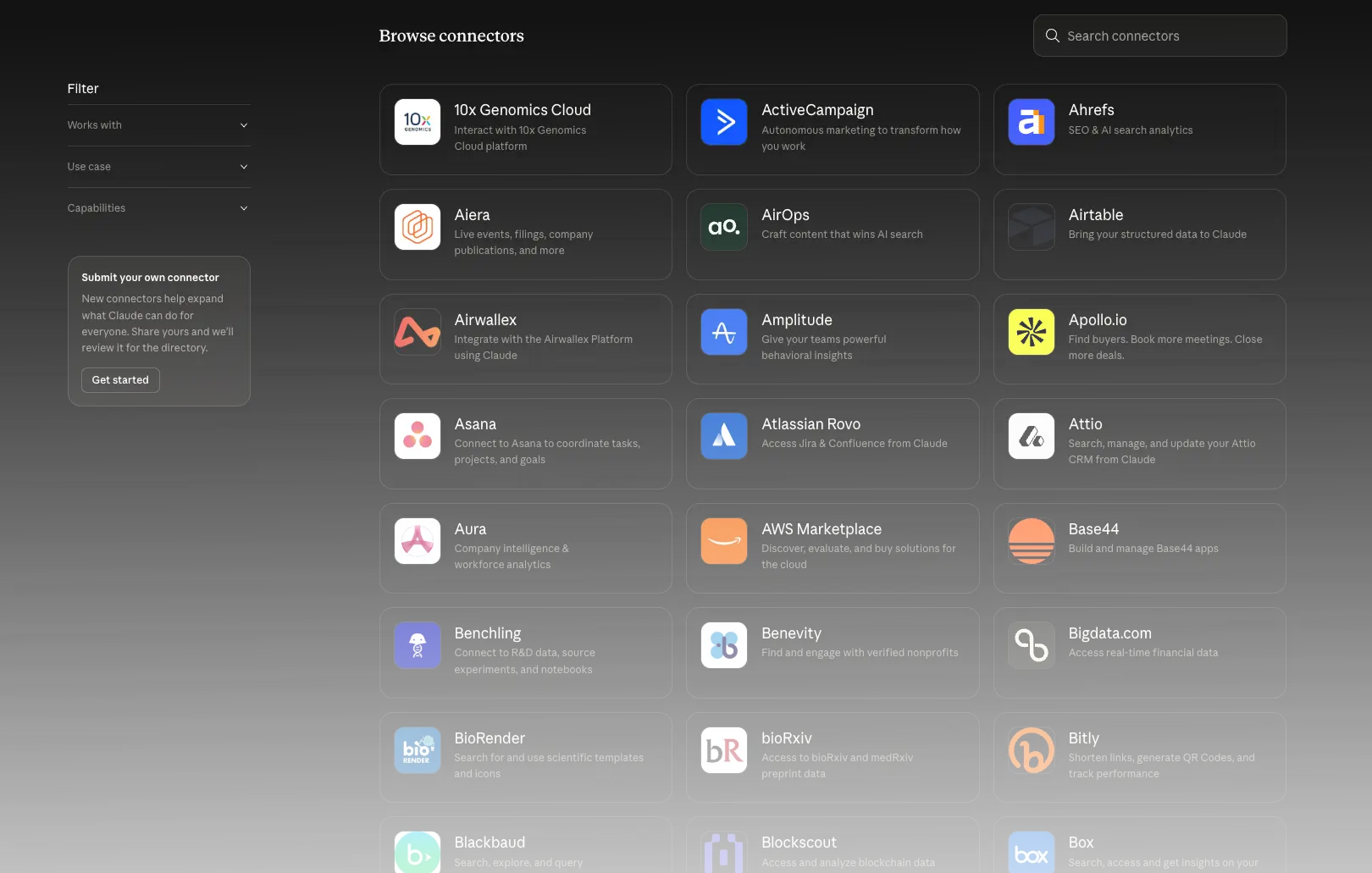
Cowork becomes dramatically more useful once you connect it to the tools you already use. Inside the connector settings, you can give it access to external apps such as email, calendars, note-taking tools, communication tools, presentation tools, automation services, and payment platforms.
This is where Cowork stops feeling like an isolated AI interface and starts feeling like a true operational assistant. Instead of making you manually transfer information between systems, it can retrieve context directly from the source and then package that information into useful outputs.
Examples of connectors mentioned in practice include Gmail, calendars, Notion, Slack, Gamma, n8n, and Stripe. The point is not that every user needs all of them. The point is that Cowork becomes more valuable as it becomes more connected to your real workflows.
Game-Changing Use Case #2: Turn Gmail Into a Mini CRM
This is one of the clearest business use cases because it solves a very real problem: most people lose money and momentum not because they lack leads, but because they forget to follow up properly.
With Gmail connected, Cowork can analyze a recent window of emails, identify the people you exchanged messages with, understand the context of the relationship, determine who is waiting on whom, and turn all of that into a spreadsheet-based mini CRM.
What that CRM can include
- Contact name
- Email address
- Last exchange
- Relationship context
- Status: waiting for your reply, waiting for their reply, or conversation closed
- Recommended next action
- Priority order
- A summary sheet with active contacts, delayed replies, and top frequent contacts
This is a brilliant example of Cowork’s practical value because it does not just summarize your inbox. It creates a working business tool from your inbox. For freelancers, consultants, agencies, or founders, that can directly translate into recovered revenue and fewer missed opportunities.
Why this use case is so valuable
A lot of professionals lose deals simply because follow-ups slip through the cracks. Cowork can transform raw email history into a prioritized action list, which means your inbox starts behaving like a lightweight CRM without extra manual setup.
You Can Queue Extra Instructions Without Breaking the Flow
Another powerful feature is that Cowork can continue working while you add new instructions to the queue. That means you do not need to wait for it to finish before refining the output. If you realize you want an extra column, an extra deliverable, or a formatting change, you can add it while the original job is still running.
This sounds small, but it changes the interaction style dramatically. Instead of stopping and restarting work, you can guide the execution as it unfolds.
Game-Changing Use Case #3: Turn One Source Into a Full Content Kit
This is one of the most impressive examples of Cowork’s leverage: give it one content source and ask it to produce an entire multi-format publishing package.
With browser access enabled, Cowork can navigate the web, open pages, scroll, gather information, and use that material as the basis for several deliverables at once. In a content workflow, that can mean turning one source into a full publishing kit.
Examples of deliverables Cowork can generate from one source
- An SEO-structured blog post
- Several LinkedIn posts
- A thread or set of short-form posts for X
- An email newsletter
- An executive summary
- A notes document with key quotes and highlights
The key insight here is not just speed. It is output multiplication. One input becomes six outputs. That is why Cowork can compress what would normally be half a day of content production into a few minutes.
This does not eliminate the strategic role of a human. It changes it. The raw formatting, adaptation, and first-pass drafting can increasingly be automated, while the human contribution shifts toward angle selection, positioning, quality control, and strategic intent.
Browser Navigation Is One of Cowork’s Most Underrated Superpowers
A lot of people talk about AI in abstract terms, but browser navigation is where Cowork starts feeling genuinely practical. Once connected to Chrome, it can take control of the browser, visit pages, scroll, inspect content, and gather information without you doing that manually yourself.
That capability opens up a range of serious workflows: research, content extraction, competitive analysis, website monitoring, and information packaging. It also allows Cowork to move beyond static files and operate on live information.
Memory Is Not Native Across Sessions, But You Can Fix That
One of the important limitations to understand is that Cowork does not naturally retain memory across sessions in the way many users assume. By default, a new Cowork session starts from zero.
That would be a major weakness if there were no workaround, but there is. You can import memory from other AI providers and also create your own reusable profile files that store context, preferences, work habits, communication style, projects, and goals.
What a profile file can include
- Your professional activity
- Current projects
- Your communication style
- Your work preferences
- Your recurring habits
Once you build that context intentionally, Cowork starts feeling much more personalized. You can even create multiple profiles for different roles, such as founder, creator, manager, student, or parent, depending on the context in which you want the assistant to operate.
Treat your profile files like operational context packs. The more clearly you define who you are, what you do, and how you work, the less generic Cowork becomes.
From Generic Tool to Personal Assistant
This is where many users leave huge value on the table. They use Cowork as a generic assistant instead of turning it into a personalized system.
Beyond a single profile file, you can ask Cowork to build other reusable context files such as weekly objectives, monthly goals, business context, or project-specific operating notes. Those files can then be shared at the beginning of a session or kept accessible so Cowork can use them when needed.
That is how you move from generic AI output to highly tailored assistance. Instead of asking the system to guess who you are every time, you give it a working model of your world.
The Big Limits You Should Understand

Claude Cowork is powerful, but it is not perfect. If you want to use it well, you need to understand its constraints rather than pretending it can do everything flawlessly.
1. It requires a paid plan
You need at least the paid subscription to access Cowork. At the entry level, the usage envelope is roughly a few meaningful tasks per day if those tasks are substantial.
2. Memory resets between sessions
Cowork does not naturally preserve full memory between sessions, so you need to compensate with imported memory or reusable context files.
3. Microsoft integrations are a weakness
A major limitation is the lack of direct integration with Outlook and Teams. If your organization is deeply centered on the Microsoft ecosystem, this is an important caveat.
4. Your computer needs to stay on for scheduled automation
If you want tasks to run automatically on a schedule, your computer needs to be turned on. That is a real operational constraint compared with setups that run continuously on a VPS or a dedicated machine.
The honest conclusion on limitations
Cowork is not flawless, but its weaknesses are easy to understand. The important thing is that none of them cancel out the core value. They simply shape how you should deploy it in a serious workflow.
Skills Are Where the Real Magic Starts
If you remember only one advanced feature, remember this one: skills.
A skill is essentially a reusable recipe. You teach Claude how to perform a task properly once, refine the output until it matches your expectations, then save that process as a skill so it can be reused consistently.
That makes a skill far more useful than a one-off prompt. A good skill captures tone, format, structure, examples, constraints, and rules. Once saved, it becomes a repeatable unit of intellectual labor.
This is one of the reasons Cowork can create serious productivity gains over time. Each good skill becomes part of your operational system rather than disappearing after a single conversation.
Game-Changing Use Case #4: Build a Reusable Sales Follow-Up Skill
A practical example makes this much easier to understand. Imagine you frequently need to take meeting notes or a meeting transcript and turn them into a client follow-up email plus a commercial proposal summary.
You can start manually: upload the transcript, ask Cowork to analyze it, generate the email, then refine the result through feedback. Maybe the email is too long. Maybe the greeting is wrong. Maybe the structure needs to be tighter. You keep iterating until the output reflects the style you want.
Then comes the key move: you tell Cowork to save everything you just refined as a skill, including the tone, the format, the examples, and the rules.
From that moment on, Cowork can reuse the same logic whenever you give it similar meeting notes. What used to be a manual drafting task becomes a repeatable system.
Why this matters
- You get much more consistency across repeated outputs
- You reduce repetitive prompting
- You encode your preferred communication style once instead of re-explaining it every time
- You turn good prompting into reusable operating capital
Scheduled Tasks + Skills = An Agent That Keeps Working
Skills become even more powerful when you combine them with scheduled tasks.
Once Cowork knows how to perform a task well, you can tell it to repeat that task automatically on a schedule. For example, every Friday at a given time, it can open a meeting-notes folder, process each file, and generate follow-up outputs using the skill you previously created.
This is where Cowork stops being a tool you occasionally use and starts acting like an ongoing digital worker. It is not just assisting when you remember to ask. It is executing on a rhythm you defined in advance.
A good prompt saves you time once. A good skill saves you time repeatedly. A good skill combined with a scheduled task turns that time saving into a system.
Community Skills Are Useful, But Be Careful
There are also skills made by the broader community. Those can be useful starting points, but they should not be treated blindly as trusted building blocks.
If you install skills created by others, be careful. Not all of them are necessarily verified or aligned with your use case. The safest and most valuable approach is usually to build your own core skills around your own workflows.
Game-Changing Use Case #5: Competitive Intelligence in Minutes
One of the most impressive advanced scenarios is using Cowork to analyze multiple competitor websites at once.
In this workflow, you provide several competitor URLs and ask Cowork to analyze key dimensions such as positioning, offer structure, visible strengths, recent content, pricing signals, or market opportunities. If the request is too vague, Cowork will often ask clarifying questions before proceeding, which is a good thing. It does not blindly charge ahead when key information is missing.
Once the scope is clear, Cowork can navigate those sites through the browser, extract the relevant information, and produce structured deliverables such as:
- An Excel competitive intelligence file
- Separate tabs for each competitor
- A comparative tab
- An opportunities tab
- A PowerPoint recap for presentation and sharing
This is where Cowork becomes extremely interesting for entrepreneurs, marketers, agencies, and operators. Instead of manually opening ten tabs, comparing offers, taking notes, and building slides afterward, you can compress the workflow into one guided request plus a few refinements.
Why Clarifying Questions Are Actually a Strength?
One subtle but important detail is that Cowork may ask follow-up questions if your initial prompt is too vague. Some users see that as friction, but it is actually a strength.
A system that charges ahead with a vague request often gives you polished nonsense. A system that pauses to clarify your goal is much more likely to produce a useful final output. In business use cases, that difference matters a lot.
What Cowork Can Be Worth to a Business
The easiest way to understand Cowork’s business value is not to ask whether it is “cheap” or “expensive.” The better question is: how many hours of repetitive work does it remove every week?
A realistic estimate presented through these kinds of workflows is that Cowork can save up to around 15 hours per week when used seriously. If you value that time at 50 euros per hour including overhead, that can represent roughly 3,000 euros of monthly value.
Even if your real-world savings are lower, the economics are still hard to ignore. At that point, a 20-euro monthly plan looks trivial, and even more advanced plans can become highly rational if your usage is heavy.
A smarter way to think about pricing
Do not compare Cowork to entertainment software. Compare it to the cost of repetitive labor, missed follow-ups, slow content production, manual file cleanup, and delayed research. That is the real benchmark.
Which Plan Makes Sense
The starting point is the Pro plan. That is enough to begin learning, build your first workflows, and test whether Cowork fits your operating style.
If your use cases expand, higher plans can make sense very quickly because the value scales with usage. More advanced users can justify larger plans when the workflows become central to how they run work every week.
The right progression is simple: start small, validate the value, then scale up if the tool becomes part of your real operating system.
The 80/20 Rule for Automation
One of the most important strategic points is that you should not try to automate absolutely everything.
The smarter approach is to let Cowork cover roughly 80% of repetitive execution while keeping the remaining 20% under human control. That is where you preserve judgment, relationship quality, strategic decision-making, nuance, and accountability.
The real gain does not come from removing humans from the system. It comes from removing low-value repetition so humans can spend more energy on high-value work.
The Real Secret Is the Compounding Effect
The true power of Claude Cowork does not show up on day one. It appears through accumulation.
In the first month, you save time. By month three, you start to have a personalized assistant with multiple useful skills, stronger context, and recurring tasks running in the background. By month six, you can have something much more valuable: a set of workflows and skills that encode how you operate.
That is why Cowork can create a real competitive advantage. The more you refine skills around your own processes, the more you are effectively encoding intellectual capital into repeatable systems.
The first useful workflow is nice. The tenth useful workflow changes how you work. Over time, your skills stop being isolated tricks and become a private operating layer tailored to your business, your habits, and your standards.
The Best Way to Start With Cowork
If you want to get real value quickly, do not start with the most complex automation imaginable. Start with something painful and repetitive that already exists in your week.
Good first use cases
- Cleaning up a messy downloads folder
- Extracting invoice data and generating a spreadsheet recap
- Creating a Gmail-based mini CRM
- Turning one content source into a blog and social media kit
- Building a reusable follow-up email skill from meeting notes
- Running a simple competitor scan across a few websites
The goal at the beginning is not perfection. It is adoption. You want to feel the first productivity gain quickly, then build from there.
What Most Users Get Wrong
Most users either treat Cowork like a standard chatbot or they expect instant magic without configuration. Both approaches waste the tool’s real power.
Cowork rewards setup effort. The more seriously you configure skills, profiles, connectors, and recurring workflows, the more it starts behaving like a meaningful digital teammate instead of a curiosity.
Its value is proportional to the operational thought you put into it.
Final Verdict: Why Claude Cowork Matters?
Claude Cowork may not be the most hyped AI product on the surface, but that is almost beside the point. It is arguably one of the most practically useful.
It can organize files, structure data, build spreadsheets, navigate the web, connect to tools, create content packages, generate follow-up systems, automate recurring work, and reuse your own best workflows through skills. That is not cosmetic AI. That is operational AI.
The deeper truth is this: Cowork becomes more valuable the more it becomes yours. When you connect it to your real tools, teach it your real processes, and save your best workflows as reusable skills, you are no longer just using an AI feature. You are building a personalized execution system.
If you only use Claude Cowork as a chatbot with a nicer interface, you will miss most of its value. If you use it to build reusable workflows, connected systems, and scheduled execution, you will understand why it can outperform what 99% of users ever do with it.
Quick-Start Checklist
- Install Claude Desktop
- Activate a paid plan that includes Cowork
- Start with one painful repetitive task
- Connect the most relevant tool, such as Gmail or Chrome
- Turn a strong manual workflow into your first reusable skill
- Create at least one profile or context file
- Set up one scheduled task only after the workflow works manually
- Keep 20% of important work under human review
FAQ
What makes Claude Cowork different from normal Claude chat?
Normal chat mainly gives you answers. Cowork is designed to execute practical workflows, interact with files, use connectors, and generate real deliverables rather than just conversational output.
Can Claude Cowork work with real files on my computer?
Yes. That is one of its core strengths. It can read, create, rename, organize, and modify files inside its working environment on your computer.
Does Claude Cowork remember everything between sessions?
Not by default. New sessions begin without persistent native memory, which is why profile files and imported context are so valuable.
What are the most useful beginner use cases?
File cleanup, invoice extraction, Gmail-based CRM building, content kit generation, and reusable follow-up skills are some of the most immediately useful starting points.
Can Claude Cowork automate recurring work?
Yes. Scheduled tasks combined with reusable skills are one of the most powerful parts of the system, especially for recurring weekly workflows.
Should I try to automate everything?
No. The smartest approach is to automate the repetitive majority while keeping the most strategic, sensitive, or relationship-heavy part under human control.
