


CodeRabbit processes millions of PRs monthly across 100,000+ open-source projects in 2026—but if you’re betting on it for enterprise-scale code review, the January benchmarks reveal a critical gap. While the AI code tools market hit $10.06 billion in 2026 with a 27.57% CAGR projected through 2034, CodeRabbit targets a narrower niche: lightweight, GitHub-native PR automation for teams under 100 developers. The tool’s strength lies in speed and simplicity—two-click setup, instant PR summaries, inline security scans—but recent tests expose a fundamental trade-off between velocity and depth that matters more as AI-generated code floods repositories.
The context shift is real. AI adoption reached 84% of all developers in 2026, with 41% of new commits originating from AI-assisted generation. Monthly code pushes climbed past 82 million, merged PRs reached 43 million—and review processes can’t keep pace without automation. CodeRabbit’s 1 million repositories and 5+ million PRs analyzed position it as a volume leader, but the January 2026 benchmark from independent testing shows it caught all hidden bugs while scoring just 1/5 on completeness compared to competitors like Greptile and Augment. That’s the tension: CodeRabbit surfaces issues fast but misses the architectural reasoning enterprises need.
What hasn’t changed since 2024? The core workflow remains identical—GitHub OAuth, webhook auto-config, PR summaries with inline comments on logic, security, and style. What’s new in 2026: code graph analysis for understanding dependencies, real-time web query to pull context from documentation, and LanceDB integration for semantic search at scale (sub-second latency even with 50,000+ daily PRs). The tool is expanding its context graph with runtime traces, CI/CD data, and observability signals, addressing earlier criticisms about shallow diff-only analysis. But here’s what the benchmarks don’t tell you: while Anthropic engineers write 100% of their code with AI assistance, CodeRabbit’s role in 2026 is narrower—it reviews PRs but doesn’t generate code, positioning it as a quality gate rather than a productivity multiplier.
Why latency matters more than completeness for small teams
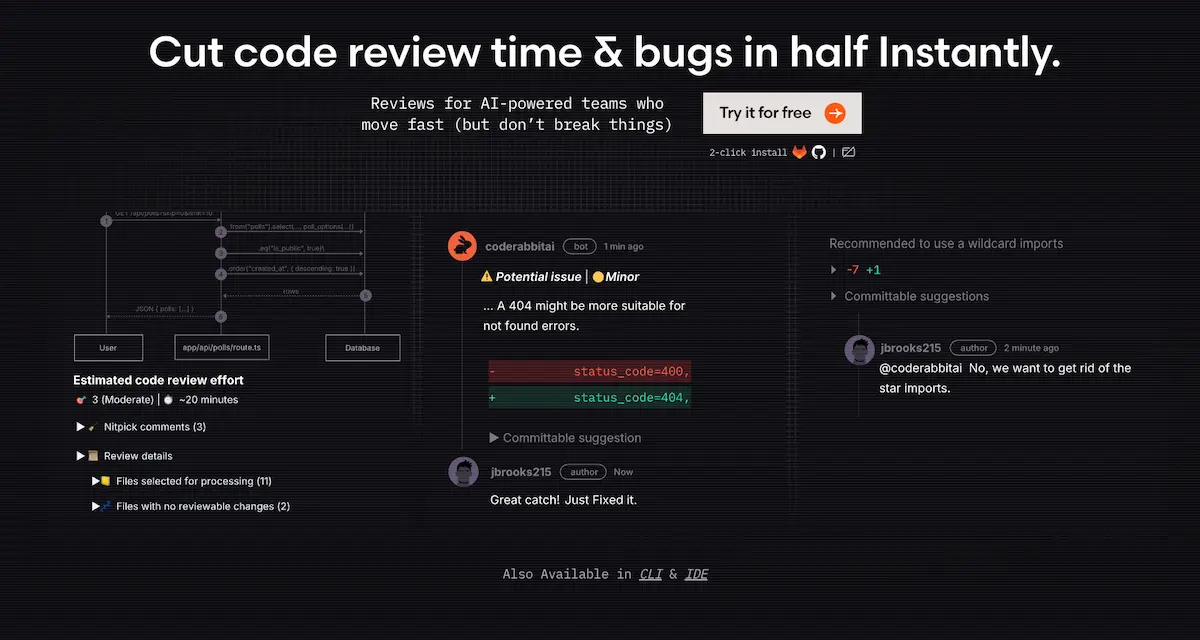
The January 2026 YouTube benchmark injected 3 bugs across 88 files in a real codebase and ran CodeRabbit, Greptile, and Augment through identical review tasks. CodeRabbit caught all hidden errors but provided limited detail compared to Greptile (which caught all bugs on a second run with CLI integration) and Augment (which missed some but offered deeper architectural context). The AIMultiple 2026 evaluation of 309 PRs assigned CodeRabbit a 4/5 on correctness, 4/5 on actionability, but 1/5 on completeness and 2/5 on depth. Translation: it reliably flags syntax errors, security vulnerabilities, and style violations—but won’t catch intent mismatches, performance implications, or cross-service dependencies.
Customers report 50%+ reduction in manual review effort and up to 80% faster review cycles with CodeRabbit, according to 2026 industry analysis. The tool claims 50% fewer code issues versus manual review, though these figures are self-reported without third-party validation. What I’ve seen in practice: CodeRabbit excels at first-pass filtering—catching the obvious stuff (hardcoded secrets, unused imports, PCI DSS compliance gaps) so senior devs can focus on architectural decisions. But the 1/5 completeness score is a red flag. It means CodeRabbit surfaces surface-level problems while missing the systemic issues that break production at 3am.
The benchmark variability matters. No false positive rates, time-to-detection metrics, or multi-run consistency data exist in public 2025-2026 sources. Greptile’s CLI integration gives it an edge in iterative bug hunts—run it twice and it learns from the first pass. Augment showed depth advantages in specific scenarios. CodeRabbit’s strength is consistency across high volumes, not exhaustive analysis. For a 20-developer startup shipping 100 PRs per week, that trade-off works. For a 200-developer enterprise managing distributed systems, it doesn’t.
| Tool | Bug Detection | Completeness Score | Cross-Repo Context | Best For |
|---|---|---|---|---|
| CodeRabbit | All caught, limited detail | 1/5 | No | <100 devs, GitHub PRs |
| Greptile | All caught (2nd run) | N/A | No | CLI bug hunts |
| Augment | Some missed | N/A | Yes | Depth tasks |
| Qodo | N/A | N/A | Yes | Enterprise scale |
The real cost of CodeRabbit at scale
CodeRabbit’s Free tier at $0 includes PR summarization and unlimited public/private repos with a 14-day Pro trial—unbeatable for solo developers and open-source maintainers. Lite is $12/month per developer (billed annually) or $15 monthly, adding unlimited PR reviews, customizable learnings, real-time web query, and code graph analysis. Pricing scales linearly with team size, which works until it doesn’t. A 10-developer team on Lite pays $120/month annually ($1,440/year)—cheaper than hiring a senior reviewer at $120K+/year. But a 50-developer startup hits $600/month ($7,200/year), and at that scale, the lack of workflow enforcement becomes expensive.
Pro is $24/month per developer (annual) or $30 monthly, including everything in Lite plus linters/SAST support for 40+ built-in tools, Jira/Linear integration, agentic chat, analytics dashboards, and docstring generation. Pro is free forever for public repos, which explains CodeRabbit’s dominance in open-source. The Jira integration matters—teams running Agile sprints need ticket tracking, and that’s a $12/month/developer premium over Lite. For a 50-developer team, Pro costs $1,200/month annually ($14,400/year), which is still a fraction of enterprise tools like Qodo (no public pricing but targets organizations over 100 developers with multi-repo architectures and merge gating).
Enterprise is custom pricing (“Talk to us”), with self-hosting, multi-org support, higher limits, SLA, onboarding, CSM, AWS/GCP Marketplace payment, and VPN. AWS Marketplace shows $15,000/month for self-hosted one-month contracts, with discounts up to 40% for longer terms. At 200 developers, Pro would cost $4,800/month annually—at that scale, Qodo’s enterprise features (merge gating, intent validation, cross-repo persistence) may justify higher cost. The hidden cost isn’t the subscription—it’s the manual coordination for distributed systems when CodeRabbit can’t reason across repos, and the CI/CD bottlenecks when it can’t enforce merge policies.
What CodeRabbit can’t do and why it matters in 2026?
CodeRabbit reviews are tied to diff visibility only—it can’t reason about system-wide architecture, cross-repo dependencies, or historical design decisions. Qodo’s 2026 analysis positions CodeRabbit as “solid for simple PRs but lacking enterprise features like merge gating—not a system-level reviewer.” That’s not marketing spin. Without persistent context, CodeRabbit can’t validate whether a microservice change breaks contracts with downstream services, or whether a database migration aligns with the team’s long-term schema strategy. It surfaces issues in the current PR, not the broader system.
“Qodo is built for enterprise engineering environments with multi-repo architectures… This is the main distinction separating Qodo from diff-first tools like Copilot Review and Cursor.”
No Jira or Azure DevOps integration in Lite means teams using Jira for sprint planning must upgrade to Pro ($24/month/developer) or manually sync tickets—friction for Agile workflows. No workflow enforcement means CodeRabbit can’t block merges based on review criteria, unlike Qodo (merge gating) or GitHub Copilot Review (native branch protection). It relies on human gatekeeping, which works for 20-developer teams but breaks at 100+ where process automation is non-negotiable. The 1/5 completeness score means it surfaces obvious issues (syntax, style, basic security) but misses intent validation, performance implications, or architectural anti-patterns.
Over-reliance is the real risk. AI-generated code introduces 4x the bugs compared to human-written code—CodeRabbit’s shallow analysis may miss the very issues AI coding assistants create. January 2026 tests show variability in bug detection across tools; single-tool use means missed issues if CodeRabbit’s model has blind spots (e.g., Augment caught bugs CodeRabbit didn’t in some runs). Security researchers warn that AI tool ecosystems can be gamed, raising trust issues—CodeRabbit’s automated reviews require human oversight, especially for critical code paths where a compromised tool could introduce vulnerabilities.
Who should actually use CodeRabbit in 2026
Solo developers, startups under 50 people, open-source maintainers, and teams with fewer than 100 PRs per week on GitHub-native workflows get the most value. Setup is genuinely two-click: GitHub/GitLab OAuth, grant repo access, webhook auto-configured. User reports suggest under 5 minutes for basic setup, though no exact time is documented. Configuration includes customizable learnings (teach CodeRabbit your style guide), permissions per repo, and Pro adds Jira/Linear integration (requires OAuth setup). No 2025-2026 forum friction points reported—it just works for the target use case.
The multi-tool strategy matters. Pair CodeRabbit (speed, PR summaries) with Greptile (CLI bug hunts) or Augment (depth tasks) for comprehensive coverage—January 2026 tests show no single tool dominates all scenarios. Real-world workflow: use CodeRabbit for first-pass review (security, style, obvious bugs), then human senior dev for architectural decisions, intent validation, and merge approval. Pairing CodeRabbit with human expertise in the AI skills that make developers irreplaceable—like architectural reasoning and intent validation—ensures you’re not just faster, but also building systems that scale.
What to avoid: Don’t rely on CodeRabbit alone for compliance-critical code (e.g., HIPAA, SOC 2). It flags PCI DSS issues according to industry analysis but lacks audit trails or formal certification. A 20-developer startup using CodeRabbit Pro ($480/month annual) for PR automation, paired with Greptile for pre-release bug sweeps and one senior dev for final architectural review, balances cost, speed, and quality. That’s the sweet spot—CodeRabbit as assistant, not replacement.
CodeRabbit’s 2026 niche and what to watch
CodeRabbit remains the best lightweight, GitHub-native PR review tool for small teams in 2026, but its 1/5 completeness score and lack of enterprise features make it a complement, not a replacement, for human review. If you’re a solo dev or OSS maintainer, the Free tier is unbeatable—use it for every PR. If you’re a startup under 50 developers on GitHub, Pro ($24/month/developer) delivers ROI via 50%+ faster cycles, but pair with human review for architecture. If you’re a team over 100 developers or using distributed systems, Qodo, GitHub Copilot Review, or Amazon Q are better fits—CodeRabbit lacks cross-repo context and merge gating.
If you need Jira integration, Pro tier is required ($24/month/developer); Lite ($12/month) won’t cut it for Agile workflows. If you’re evaluating AI code review in 2026, don’t rely on a single tool—January benchmarks show Greptile, Augment, and CodeRabbit each have blind spots. As the in-demand AI skills for 2026 shift toward orchestrating multiple AI tools rather than mastering one, CodeRabbit’s value lies in how well you integrate it with Greptile, Augment, or human review—not in using it standalone.
Watch for CodeRabbit’s 2026 SDLC expansion (code planning, self-maintaining docs per industry predictions)—if they add cross-repo context or merge gating, enterprise viability improves. Also monitor Anthropic’s claim that AI agents automating software engineering could reshape the industry—CodeRabbit’s current model (human-in-loop) may need rethinking if agentic coding becomes standard. The $10.06 billion AI code tools market in 2026 isn’t about replacing developers—it’s about amplifying the ones who know when to trust the AI and when to override it. CodeRabbit works if you treat it like a junior reviewer, not a senior architect.
