


The web browsing landscape is evolving rapidly, with artificial intelligence transforming how digital tasks are handled. Recent innovations in Chrome redefine the practical limits of what an internet browser can offer.
By refining its AI-driven tools and introducing a seamless side panel experience, Chrome presents fresh opportunities for those seeking enhanced efficiency, creativity, and safety during online activities.
Gemini’s revamped interface: Efficiency meets user-friendly design
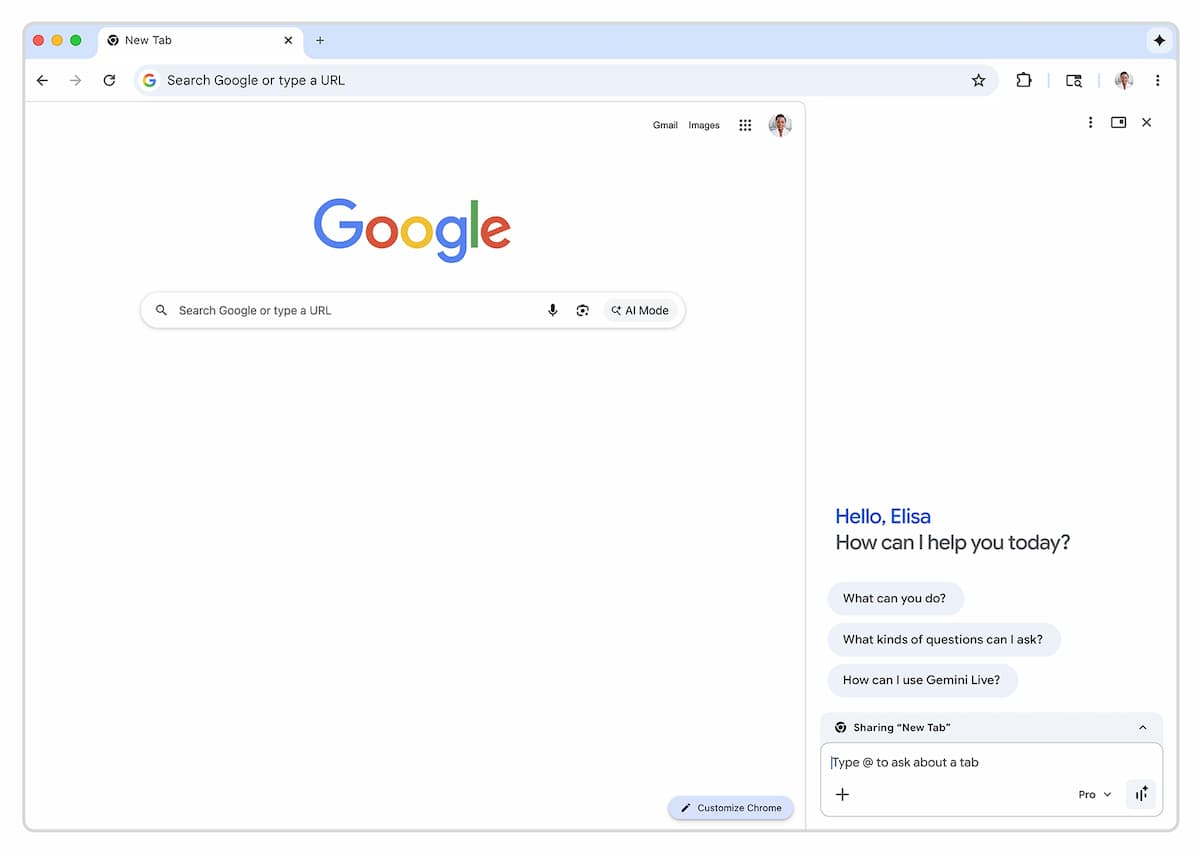
Departing from disruptive pop-ups, Chrome’s latest update positions the Gemini AI assistant within a dedicated side panel.
This change greatly improves workflow, as access to AI-powered features no longer interrupts active tabs or ongoing research. The scrollable side layout encourages multitasking while preserving full visibility of main content.
This understated yet significant redesign places clear emphasis on usability. Whether managing multiple web pages or balancing creative projects, integrating AI as a persistent sidebar reduces distractions.
This approach not only brings convenience but also reflects a broader movement toward non-intrusive, always-accessible digital assistants in contemporary software design.
An improved image editing experience in-browser
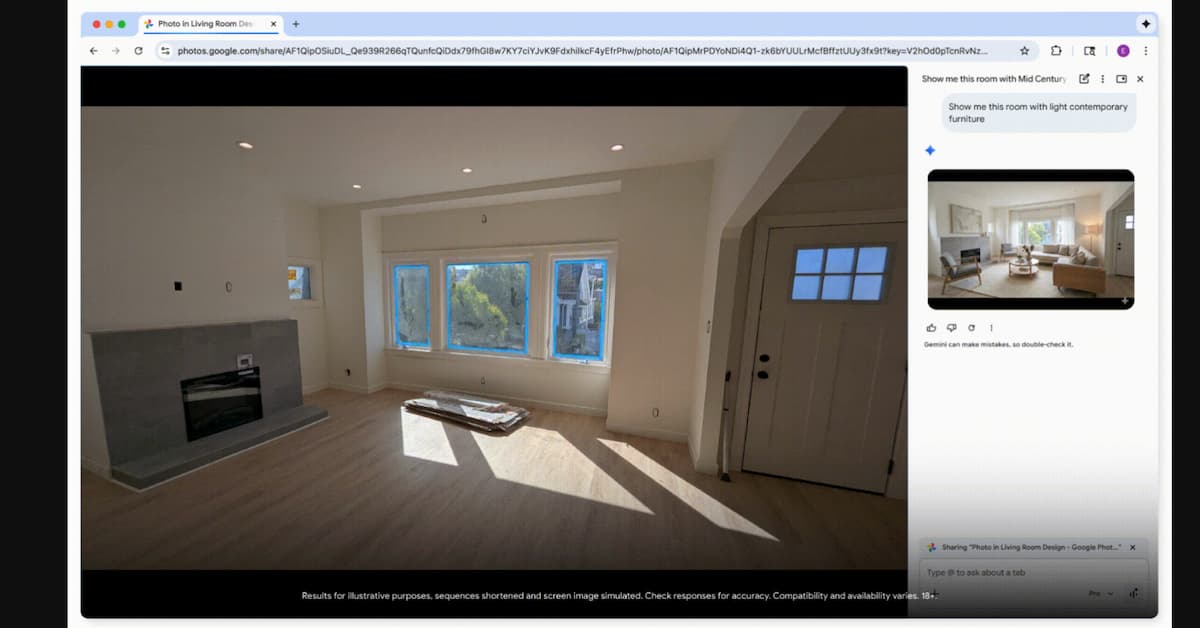
Creative possibilities within Chrome have grown thanks to easily accessible AI image editing tools. Now, editing options appear simply by right-clicking on any selected image inside the browser.
Instead of dealing with limited uploads or complicated workflows, these functions are immediately available—serving the needs of social media creators, bloggers, and everyday organizers alike.
This toolset leverages advanced image generation technology, enabling users to reimagine visuals while observing explicit content policies and copyright boundaries established by developers.
Even with stricter regulations addressing concerns over misuse, the editing experience remains powerful and versatile for those who value fast, creative visual adjustments during their browsing sessions.
- Edit images directly without switching tabs
- Apply effects or modify visuals via context menus
- Benefit from safeguards against unauthorized or unsafe content generation
What makes Auto Browse stand out among AI browsing tools?
Automated browsing marks a shift from passive suggestions to active digital assistance. Through the Auto Browse feature, Chrome harnesses AI capabilities to carry out multi-step online actions.
Imagine searching for a specific product, navigating purchase steps, and even completing required forms—all automatically. The result is that tedious web routines become quick, guided processes.
This autonomous navigation is built upon strong permissions and embedded protective measures. Security remains paramount, as allowing AI broad access to accounts or sensitive information raises valid concerns. Multiple restrictions are in place: special consent is required for password manager access, and when questionable sites are detected, Chrome activates established safe-browsing protocols to protect the user.
Handling complex tasks efficiently
Online transactions often involve several stages—searching, authenticating, and submitting details. With automated flows, repetitive manual input no longer slows progress.
Scheduling appointments, collecting financial documentation, or apartment hunting across listing platforms becomes more streamlined through intelligent navigation. Each interaction helps minimize friction for busy individuals who prioritize time savings.
Privacy receives careful attention as well. When sensitive decisions arise—such as confirming a purchase or sharing confidential documents—the system pauses and returns control, prompting formal approval before proceeding. This balance between automation and consent maintains trust, while still enhancing productivity.
Managing separate sessions seamlessly
Another important aspect involves how Auto Browse handles parallel activities. Multiple AI-assisted tabs can operate at once, yet remain isolated for confidentiality. No tab exchanges information with another, ensuring privacy when toggling between personal errands and work-related tasks.
Currently, inter-tab communication is not supported—a deliberate choice that favors user safety above convenience. Future updates may introduce smarter management, potentially enabling selective information sharing under rigorous security controls.
Integration with established apps and smart histories
One emerging capability draws upon the history of previous interactions, spanning emails, photos, and app connections. For subscribers exploring beta features, the Gemini assistant proactively references earlier data without needing repeated requests. Thus, instructions like “find new tires” prompt the assistant to sift through old messages and images, identifying vehicle models and past purchases automatically.
This degree of integration points to a drive for cross-platform harmony, where browser-based AI reaches beyond basic web automation. Rather than handling isolated tasks, it increasingly acts as an intelligent hub, capable of unifying suggestions and taking action based on long-term context and preferences.
Towards a smarter, safer Chrome ecosystem
Ongoing updates in Chrome reflect growing confidence in embedding sophisticated AI functions directly into mainstream browsers. These enhancements illustrate a careful strategy: delivering greater convenience and more personalized assistance, while drawing firm boundaries around privacy, permission, and security.
As this transformation accelerates, expectations build for deeper integrations and smarter automations that never compromise individual agency or peace of mind. Browsing is swiftly becoming a collaborative process, combining human intent with responsive digital intelligence guiding each click and command.
