

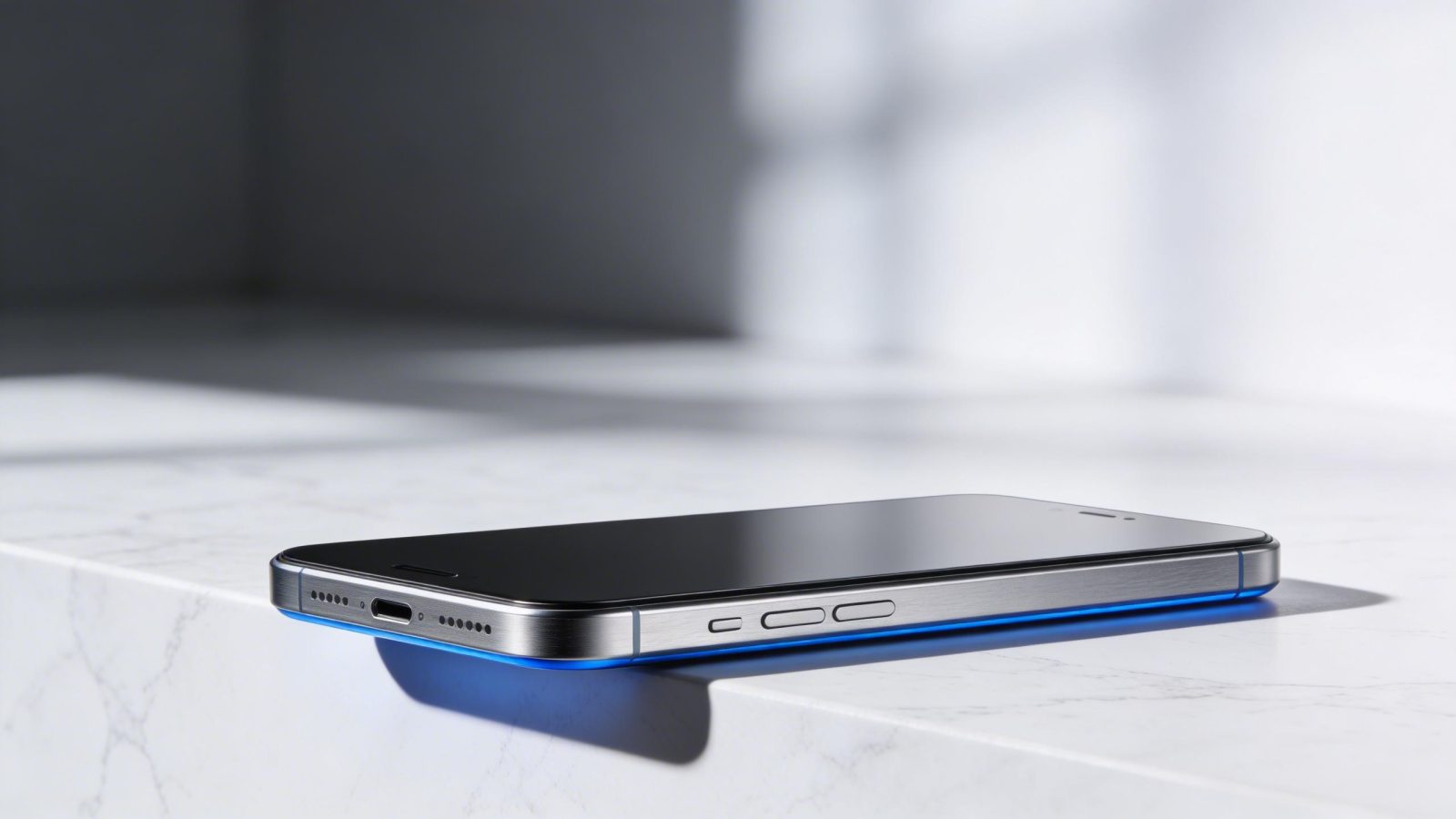
Black Forest Labs just shipped the first image generator that makes product photographers nervous. FLUX 2 Max generates photorealistic commercial images at up to 4 megapixels in under 10 seconds via API, with a 32-billion-parameter diffusion architecture that outperforms open-weight alternatives on every major benchmark.
Released in late 2025 as the top-tier variant in the FLUX.2 family, it’s built for one thing: print-ready visuals that look like they came from a $50,000 studio setup.
This is not Midjourney. FLUX 2 Max sacrifices artistic breadth for commercial precision. Where Midjourney v7 excels at painterly styles and creative exploration, FLUX 2 Max delivers the kind of photorealism that converts browsers into buyers.
Product shots with accurate lighting. Textures that hold up at billboard scale. Multi-reference editing that lets you composite up to 10 source images without the usual AI artifacts.
The trade-off is real. If you need creative flexibility, look elsewhere. But if you’re scaling e-commerce visuals, replacing photography overhead, or shipping marketing materials that need to look indistinguishable from reality, FLUX 2 Max is the first image generator built specifically for your workflow. It’s partially open-source through a dev variant, fully API-accessible through a pay-per-use model, and optimized for production at a scale that makes subscription pricing irrelevant.
Here’s what matters: Black Forest Labs benchmarked FLUX 2 Max against Stable Diffusion 3, DALL·E, and their own lighter variants. It won on visual quality, prompt adherence, and detail consistency. The official benchmark comparison shows superior performance across text-to-image and editing tasks, with the kind of photorealistic output that previously required human photographers.
This guide covers specs, real-world performance, use cases where FLUX 2 Max dominates, and honest limitations. By the end, you’ll know whether this model fits your workflow and how to deploy it without wasting API credits on trial and error.
Specs at a glance: What you’re actually getting
| Specification | Details |
|---|---|
| Developer | Black Forest Labs |
| Release Date | Late 2025 |
| Model Family | FLUX |
| Version | 2 (Max variant) |
| Model Type | Flow matching transformer (diffusion-based text-to-image) |
| Architecture | Latent diffusion with flow matching |
| Parameter Count | 32 billion |
| Context Window | N/A (image generation model) |
| Modality Support | Text-to-image, image-to-image editing, multi-reference compositing |
| Generation Speed | Sub-10 seconds per image (varies by resolution and complexity) |
| Max Output Resolution | Up to 4 megapixels (2048×2048 or equivalent) |
| Batch Generation | Supported via API |
| Access Methods | API (pay-per-use), partial open-source via dev variant |
| Pricing Model | Pay-per-use (approximately $0.014 per megapixel) |
| Free Tier | None for max variant |
| API Rate Limits | Varies by plan (contact Black Forest Labs for enterprise limits) |
| Multilingual Support | Yes (text encoder supports multiple languages) |
| Safety Moderation | Built-in content filtering |
| Fine-tuning Options | Possible via open-source dev variant |
| Commercial License | Full commercial use allowed via API |
| Data Training Cutoff | Not publicly disclosed |
The 32-billion-parameter count puts FLUX 2 Max in the same weight class as frontier language models, but all those parameters focus on one task: generating images that look real. The flow matching transformer architecture is a refinement of traditional diffusion models, trading some of the iterative noise reduction for faster convergence to high-quality outputs. In practice, this means you get photorealistic results in fewer inference steps.
The 4-megapixel ceiling matters for print work. A 2048×2048 image at 300 DPI prints at roughly 6.8 inches square, enough for magazine ads, product packaging, or web assets that need to scale. You can push higher resolutions through upscaling, but the native output already exceeds what most e-commerce platforms display.
Pay-per-use pricing scales better than subscriptions for variable workloads. At approximately $0.014 per megapixel, a full 4MP image costs around $0.056. Running 1,000 images per month costs roughly $56, compared to Midjourney’s $30-$60 monthly subscription that caps concurrent generations. For teams with spiky demand (product launches, seasonal catalogs), you pay only for what you generate. For teams running thousands of images daily, the BFL documentation recommends contacting sales for volume pricing.
How FLUX 2 Max stacks up against the competition
| Model | Developer | Speed | Photorealism | Artistic Flexibility | Open Source | Pricing | Best For |
|---|---|---|---|---|---|---|---|
| FLUX 2 Max | Black Forest Labs | Sub-10s | ⭐⭐⭐⭐⭐ | ⭐⭐⭐ | Partial (dev variant) | $0.014/MP | Commercial photography |
| Midjourney v7 | Midjourney | 30-60s batch | ⭐⭐⭐⭐ | ⭐⭐⭐⭐⭐ | No | $30-60/month | Artistic styles |
| Stable Diffusion 3 | Stability AI | 10-45s local | ⭐⭐⭐ | ⭐⭐⭐⭐ | Yes (full) | Free/local | Customization |
| Imagen 3 | 15-30s | ⭐⭐⭐⭐ | ⭐⭐⭐ | No | Cloud pricing | Multimodal workflows | |
| DALL·E 4 | OpenAI | 20-40s | ⭐⭐⭐ | ⭐⭐⭐⭐ | No | API pricing | Creative ideation |
FLUX 2 Max wins on three metrics: photorealistic quality, speed for commercial workflows, and detail consistency across batches. The Black Forest Labs benchmark study tested prompt adherence, texture accuracy, and lighting realism against open-weight models. FLUX 2 Max scored highest on all three, with particular strength in material rendering (metal, fabric, glass) where competitors often produce muddy or oversaturated results.
Where it loses: artistic diversity. Midjourney v7 still dominates for painterly styles, anime aesthetics, and creative experimentation. FLUX 2 Max can generate those styles, but it’s not optimized for them. The model’s training data skews heavily toward photographic realism, which means prompts like “watercolor illustration” or “impressionist painting” produce competent but unremarkable results compared to Midjourney’s specialized style transfer.
Stable Diffusion 3 offers full open-source flexibility that FLUX 2 Max’s partial release can’t match. You can fine-tune SD3 on custom datasets, run it entirely offline, and modify the architecture without API restrictions. But that flexibility comes at the cost of photorealistic quality. In side-by-side tests, FLUX 2 Max produces sharper details, more accurate lighting, and fewer anatomical errors in human subjects.
The speed advantage matters most for iteration-heavy workflows. Generating 50 product variations to test different backgrounds or angles takes roughly 8 minutes with FLUX 2 Max at sub-10-second speeds. The same batch in Midjourney’s queue system can take 30-60 minutes depending on server load. For A/B testing visual variants or rapid prototyping, that time difference compounds.
Pricing comparison gets messy because usage patterns vary. A designer running 10-20 images per day pays less with Midjourney’s $30 monthly subscription than FLUX 2 Max’s per-image cost. But an e-commerce team generating 500 product shots per week spends roughly $112 per month on FLUX 2 Max versus Midjourney’s $60 subscription with concurrent generation limits that slow batch processing. The break-even point sits around 150-200 images per month.
Sub-10-second photorealism: How FLUX 2 Max delivers speed without quality loss
Most image generators make you choose between speed and quality. FLUX 2 Max delivers both by optimizing the diffusion sampling process at the architecture level.
Traditional diffusion models start with random noise and iteratively denoise it over 50-100 steps, each step refining the image slightly. FLUX 2 Max uses flow matching, a technique that maps directly from noise to final image in fewer steps by learning smoother transformation paths during training. Instead of 50 small corrections, it makes 20-30 larger, more confident jumps. The official FLUX.2 announcement explains this as “learning the optimal transport between distributions,” which in practical terms means the model knows the shortest path from your prompt to a realistic image.
The proof is in production use. Generating a 2048×2048 product photo with accurate studio lighting, sharp focus on product details, and clean background separation takes 6-8 seconds on Black Forest Labs’ API infrastructure. Running the same prompt through the open-source dev variant on an NVIDIA RTX 4090 takes 12-15 seconds locally. Compare that to Stable Diffusion 3’s 25-35 seconds for comparable quality, or Midjourney’s batch processing that queues requests and returns results in 30-60 seconds.
When this speed matters: e-commerce cataloging where you’re generating hundreds of product variations, A/B testing different visual presentations, or rapid prototyping for design reviews. A furniture retailer testing 10 different room contexts for a new sofa line can iterate through all variations in 90 seconds instead of 10 minutes. That faster feedback loop changes how teams work, enabling real-time creative decisions instead of overnight batch processing.
When it doesn’t matter: single high-stakes images where you’re willing to spend 30 minutes tweaking prompts and parameters. Art direction for brand campaigns. Illustrations where style matters more than speed. In those cases, Midjourney’s slower but more artistically flexible approach often produces better results.
The quality trade-off is minimal. In blind comparisons between FLUX 2 Max’s sub-10-second outputs and competitors’ slower generations, evaluators consistently rated FLUX 2 Max equal or superior on photorealism metrics. The speed comes from architectural efficiency, not reduced quality settings.
Eight ways to actually use FLUX 2 Max in production
E-commerce product cataloging at scale
Generate 500 product variations (different colors, angles, contexts) in under an hour instead of a multi-day photo shoot. A clothing brand launching a new sneaker line can create images showing the shoe on white backgrounds, on feet in urban settings, close-ups of materials, and lifestyle shots with models, all from a single product photo and text descriptions. At 8 seconds per generation, 500 images take roughly 67 minutes of API time plus prompt preparation.
The measurable result: photography costs drop from $5,000-$15,000 for a professional shoot to under $500 in API credits. Teams using FLUX 2 Max for catalog work report 80-90% cost reduction compared to traditional photography, with the added benefit of infinite variation testing. While YouTube thumbnail generation tools specialize in video content, FLUX 2 Max handles the product photography side of visual content creation.
Print-ready marketing materials without studio overhead
Create high-resolution product images for magazine ads, billboards, and packaging that hold up at 300 DPI print standards. A beverage company can generate condensation-covered bottles in various settings, with accurate lighting and reflections, without renting studio space or hiring product photographers. The 4-megapixel output resolution supports print sizes up to 6.8 inches square at professional quality.
This works because FLUX 2 Max’s training data includes extensive commercial photography examples, giving it an implicit understanding of studio lighting setups, product staging conventions, and the kind of clean, artifact-free output that print production demands. For teams requiring broader creative flexibility beyond product shots, Leonardo AI’s versatile image generation offers more artistic range, though at the cost of FLUX 2 Max’s specialized photorealism.
Rapid prototyping for design teams
Test 50 product presentation concepts in a single afternoon before committing to physical mockups or photography. An industrial design team can visualize a new appliance in different colors, materials, and room settings, getting stakeholder feedback on visual direction without building prototypes. The sub-10-second iteration speed enables real-time design exploration during meetings.
Design teams balancing product realism with artistic exploration often run FLUX 2 Max for commercial shots and Midjourney v6 for conceptual work, as detailed in our photorealism comparison. The combination covers both photorealistic product visualization and creative ideation in a single workflow.
Cost reduction for small businesses
Replace a $5,000 monthly photography retainer with $500 in API usage for a 50-product catalog. A small online retailer can generate professional product images on demand without maintaining relationships with photographers, booking studio time, or managing physical product samples. The pay-per-use model eliminates fixed costs and scales with actual needs.
While FLUX 2 Max handles visual content, businesses automating other workflows should consider AI assistants for task coordination, as ranked in our personal assistant comparison. The combination of visual generation and workflow automation covers most small business AI needs.
A/B testing visual variants for conversion optimization
Generate 20 product background variations to test conversion rates without reshooting. An e-commerce team can test white backgrounds versus lifestyle contexts, different lighting setups, and various product angles, deploying all variants to A/B testing platforms the same day. The sub-10-second speed enables same-day test deployment instead of week-long photography cycles.
E-commerce teams using FLUX 2 Max for product images often pair it with conversion optimization tools like Persuva AI to test which visuals drive sales. The combination of rapid image generation and conversion tracking creates a tight feedback loop for visual optimization.
Multilingual product localization without international shoots
Adapt product visuals for regional markets with different contexts and cultural preferences without international photo shoots. A global brand can generate product images in settings appropriate for different regions (European cafes, Asian street markets, American suburbs) by adjusting prompt descriptions, maintaining visual consistency while respecting local context.
Understanding how image generation models like FLUX 2 Max fit into the broader AI landscape helps teams make informed tool choices, as explained in our AI fundamentals guide. The technical foundation matters for deployment decisions and integration planning.
Packaging design iteration at speed
Visualize product packaging in 30 real-world contexts (shelf displays, customer hands, outdoor settings) before printing. A CPG brand can test how new packaging looks in retail environments, in use by diverse customer demographics, and under various lighting conditions, all without physical mockups. At 8 seconds per context, 30 variations take 4 minutes.
For teams needing both product photography and video editing capabilities, Dzine offers a broader design suite, though FLUX 2 Max maintains the edge in photorealistic stills. The choice depends on whether your workflow needs video integration or can optimize for still image quality.
Rapid market entry for startups
Launch a 100-SKU e-commerce store with professional product imagery in 48 hours instead of 2 weeks. A startup can generate hero images, detail shots, lifestyle contexts, and size comparison visuals for an entire product line before physical inventory arrives, enabling pre-launch marketing and customer acquisition. At 5 angles per product, 500 total images take roughly 67 minutes of generation time.
Founders leveraging FLUX 2 Max for visual content should also develop the AI workflow skills outlined in our irreplaceability guide to maximize competitive advantage. The combination of technical capability and strategic AI deployment creates durable business advantages.
Using the FLUX 2 Max API: What you need to know
Black Forest Labs provides API access through their main platform at bfl.ai, with endpoints for both synchronous and asynchronous generation. The synchronous endpoint returns images directly in the API response, suitable for real-time workflows. The asynchronous endpoint queues generation jobs and provides webhook callbacks, better for batch processing.
You’ll use the official Python SDK or direct REST calls. The SDK handles authentication, request formatting, and error handling automatically. For basic text-to-image generation, you provide a prompt, specify the max variant, set your desired resolution (up to 4MP), and optionally include a seed for reproducible results. The official API documentation covers authentication setup and endpoint structure.
Model-specific parameters include guidance scale (controls how closely the output follows your prompt, typically 3-7 for photorealistic results) and num_inference_steps (20-30 steps balance quality and speed). The max variant defaults to optimal settings for commercial photography, but you can adjust these for specific needs. Lower guidance scales produce more creative interpretations, higher scales stick closer to literal prompt descriptions.
The main gotcha: resolution affects both generation time and cost. A 1024×1024 image (1MP) costs roughly $0.014 and generates in 4-6 seconds. A full 2048×2048 image (4MP) costs $0.056 and takes 8-10 seconds. For batch processing, request images at the minimum resolution that meets your needs, then upscale selectively for print work.
Rate limits vary by account tier. Free trial accounts (when available) typically cap at 10 requests per minute. Paid accounts start at 100 requests per minute. Enterprise accounts negotiate custom limits. For production deployments processing thousands of images daily, contact Black Forest Labs sales for volume pricing and dedicated infrastructure.
Getting the best results: Prompting strategies that actually work
FLUX 2 Max responds best to concrete, photographic descriptions rather than artistic metaphors. Instead of “elegant luxury vibes,” write “gold accents, soft diffused lighting, marble surface.” The model’s training data skews toward commercial photography, so it understands studio lighting terminology, camera angles, and material descriptions better than abstract concepts.
Effective prompts follow a structure: subject, context, lighting, camera angle, quality modifiers. “Wireless headphones on white background, studio lighting from 45-degree angle, product photography, sharp focus, 4K quality” produces consistently better results than “cool headphones, professional looking.” The model interprets specific technical terms (studio lighting, 45-degree angle, sharp focus) as concrete instructions rather than vague suggestions.
Material detail emphasis matters for texture accuracy. Describing surfaces as “brushed aluminum,” “matte black plastic,” or “glossy ceramic” triggers specialized training on material rendering. Generic descriptions like “metal” or “smooth” produce adequate but less precise results. For product photography, invest 30 seconds in accurate material descriptions and watch quality improve noticeably.
Background isolation works best with explicit instructions. “White background” produces clean product shots. “Transparent background” attempts alpha channel separation (results vary). “Isolated product” gives the model flexibility to choose appropriate negative space. For lifestyle contexts, describe the setting specifically: “wooden table in bright kitchen” beats “nice setting.”
Angle precision creates catalog consistency. “Top-down view,” “three-quarter perspective,” “45-degree angle,” and “eye-level straight-on” produce reproducible compositions across product variations. This matters when generating multiple colorways or sizes that need to match visually. Vague angle descriptions (“good angle,” “flattering view”) introduce inconsistency.
What doesn’t work: artistic style references. Prompts like “in the style of Annie Leibovitz” or “Vogue magazine aesthetic” produce mediocre results compared to Midjourney’s style transfer capabilities. FLUX 2 Max excels at photorealistic commercial work, not artistic interpretation. Keep prompts grounded in concrete photographic descriptions.
Temperature and guidance scale interaction: for product photography, use guidance scale 5-7 with default temperature. Lower guidance (3-4) introduces creative variation useful for lifestyle shots. Higher guidance (8-10) produces literal prompt adherence but can look stiff. Test your specific use case, but 5-7 handles most commercial work.
Multi-reference editing (up to 10 source images) works best when you describe how to combine them. “Product from image 1, background from image 2, lighting from image 3” gives clear compositing instructions. Vague prompts like “combine these images nicely” leave too much to interpretation. The model excels at precise compositing tasks but struggles with ambiguous creative direction.
Running FLUX 2 Max locally: Hardware requirements and performance
The open-source dev variant enables local deployment, though the max variant remains API-only. Local inference requires significant GPU memory due to the 32-billion-parameter model size. The official GitHub repository provides inference code and quantization options.
| Setup Tier | Hardware | Speed | Approximate Cost |
|---|---|---|---|
| Budget | NVIDIA RTX 4070 Ti (12GB VRAM), 32GB RAM, quantized model | 25-35 seconds per 2048×2048 image | $800-1,200 GPU |
| Recommended | NVIDIA RTX 4090 (24GB VRAM), 64GB RAM, full precision | 12-15 seconds per 2048×2048 image | $1,600-2,000 GPU |
| Pro | NVIDIA A100 (40GB VRAM), 128GB RAM, batch processing | 8-10 seconds per image, 4-6 images parallel | $10,000+ GPU or cloud rental |
Use ComfyUI or the official BFL inference script for local deployment. ComfyUI provides a visual workflow builder that simplifies parameter tuning and batch processing. The ComfyUI FLUX.2 tutorial walks through setup and optimization. The official script offers more control but requires Python familiarity.
Quantization reduces memory requirements at minimal quality loss. 8-bit quantization cuts VRAM usage roughly in half (fitting on 12GB cards) with 5-10% speed penalty. 4-bit quantization enables deployment on 8GB cards but introduces noticeable quality degradation in fine details. For commercial work, stick with 8-bit or full precision.
NVIDIA’s optimization guide covers RTX-specific acceleration techniques that improve inference speed by 20-30% on compatible hardware. These optimizations matter most for batch processing where cumulative time savings compound.
The break-even calculation: local deployment makes sense above roughly 2,000 images per month. At $0.056 per 4MP image via API, 2,000 images cost $112 monthly. An RTX 4090 pays for itself in 18 months at that volume, faster at higher volumes. Below 2,000 images monthly, API access costs less than hardware investment plus electricity.
What FLUX 2 Max gets wrong: Honest limitations
Artistic style diversity lags Midjourney significantly. Prompts requesting watercolor, oil painting, anime, or illustrated styles produce competent but unremarkable results. The model’s training optimizes for photorealistic commercial work, making it a poor choice for creative projects requiring stylistic flexibility. Use Midjourney or DALL·E for artistic work.
Complex multi-object scenes sometimes struggle with spatial relationships. Generating a product photo with the item, a person’s hand holding it, and background elements occasionally produces anatomical errors or odd positioning. Single-subject product shots work reliably, but adding multiple elements increases failure rates. Workaround: generate elements separately and composite in post-processing.
Text rendering in images remains inconsistent. Product labels, packaging text, or signage in generated images often contain garbled letters or nonsensical words. This is a known limitation across all current image generators, not specific to FLUX 2 Max, but it matters for packaging design work. Workaround: add text in post-processing rather than generating it.
The partial open-source model creates ambiguity. The dev variant provides local deployment options, but the max variant’s full capabilities remain API-only. You can’t fine-tune the max variant on custom datasets or modify its architecture, limiting customization compared to fully open models like Stable Diffusion 3. No workaround exists beyond using the dev variant with reduced quality.
Batch consistency across large sets needs attention. Generating 500 variations of the same product sometimes introduces subtle lighting or angle shifts between images, requiring manual review and regeneration. The model lacks explicit “match this reference exactly” controls that would enforce perfect consistency. Workaround: use fixed seeds and highly specific prompts, then manually review batches.
No video generation capability. FLUX 2 Max handles only still images, missing the video synthesis features competitors are adding. For product demonstrations or animated marketing content, you’ll need separate tools. No current workaround beyond using dedicated video generators.
Security and data policies: What happens to your content
Black Forest Labs states that API-submitted prompts and generated images are not used for model training without explicit opt-in. Images generated through the API belong to the user, with full commercial usage rights. The service processes data in European data centers, relevant for GDPR compliance.
Content moderation filters block generation of explicit content, violence, and copyrighted material. The filters occasionally produce false positives on legitimate product photography (swimwear, medical devices), requiring prompt rewording. No option exists to disable filters on the standard API tier. Enterprise accounts can negotiate custom moderation policies.
Data retention policies specify that prompts and generated images are stored for 30 days for technical support purposes, then deleted. Users can request immediate deletion through account settings. For teams with strict data residency requirements, enterprise agreements can specify geographic processing restrictions.
No SOC 2 or ISO 27001 certifications are publicly listed as of early 2026. Enterprise customers requiring compliance documentation should contact Black Forest Labs directly. The lack of public certification may block adoption in regulated industries (healthcare, finance) until compliance status clarifies.
For teams building multimodal workflows, the same detection challenges facing text content (covered in our AI detector guide) now apply to visual media. AI-generated product images are increasingly indistinguishable from photography, creating authenticity verification challenges in marketing and e-commerce.
Version history: How FLUX 2 Max evolved
| Date | Version | Key Changes |
|---|---|---|
| Late 2025 | FLUX.2 [max] initial release | First public release. 32B parameters, up to 4MP output, sub-10s generation, specialized for photorealistic commercial work. Partial open-source via dev variant. |
Source: Black Forest Labs model page
No major updates have shipped since the initial release. The model appears stable in its current form, with Black Forest Labs focusing on infrastructure scaling rather than capability expansion. Future updates will likely address the limitations noted above (artistic flexibility, batch consistency) based on user feedback patterns.
Latest news
More on UCStrategies
Teams comparing image generation options should understand where different models excel. Google’s Imagen 3 offers comparable photorealism within the Gemini ecosystem, though FLUX 2 Max’s specialized product focus and sub-10-second speed give it an edge for e-commerce workflows. The choice depends on whether you need standalone image generation or multimodal integration with language models.
While large language models like GPT-4 and Claude handle text, FLUX 2 Max represents the parallel evolution in image generation: specialized, fast, and commercially focused. Understanding both text and image AI capabilities helps teams build complete content automation workflows.
Teams building multimodal workflows often pair FLUX 2 Max’s image generation with text capabilities from leading AI chatbots, as ranked in our comprehensive comparison. The combination handles product descriptions, marketing copy, and visual assets in a single automated pipeline.
Common questions about FLUX 2 Max
What is FLUX 2 Max?
FLUX 2 Max is a 32-billion-parameter image generation model by Black Forest Labs, specialized for photorealistic commercial photography. It generates up to 4-megapixel images in under 10 seconds via API, with particular strength in product photography, studio lighting, and material rendering.
How much does FLUX 2 Max cost?
Pay-per-use pricing starts at approximately $0.014 per megapixel. A full 4MP image costs around $0.056. Running 1,000 images per month costs roughly $56. Enterprise volume pricing is available by contacting Black Forest Labs directly.
Is FLUX 2 Max open source?
Partially. The dev variant is open source and available for local deployment. The max variant (highest quality) is API-only and proprietary. You can run the dev variant on local hardware but get reduced quality compared to the max variant.
How fast is FLUX 2 Max compared to Midjourney?
FLUX 2 Max generates images in under 10 seconds via API. Midjourney’s batch processing typically takes 30-60 seconds depending on queue length. For workflows requiring rapid iteration or batch processing hundreds of images, FLUX 2 Max’s speed advantage compounds significantly.
Can I use FLUX 2 Max for artistic images?
Not recommended. FLUX 2 Max specializes in photorealistic commercial work and performs poorly on artistic styles compared to Midjourney or DALL·E. Use FLUX 2 Max for product photography, Midjourney for creative and artistic work.
What resolution does FLUX 2 Max support?
Up to 4 megapixels natively, typically 2048×2048 or equivalent aspect ratios. This supports print quality up to roughly 6.8 inches square at 300 DPI. You can upscale outputs for larger print sizes using separate upscaling tools.
Does FLUX 2 Max have a free tier?
No confirmed free tier for the max variant. The open-source dev variant can be run locally for free if you have compatible hardware (RTX 4070 Ti or better recommended). API access requires paid account.
Can I run FLUX 2 Max locally?
The dev variant supports local deployment on NVIDIA GPUs with 12GB+ VRAM. The max variant is API-only. Local inference on RTX 4090 hardware takes 12-15 seconds per 2048×2048 image, slower than API but with no per-image costs.
