

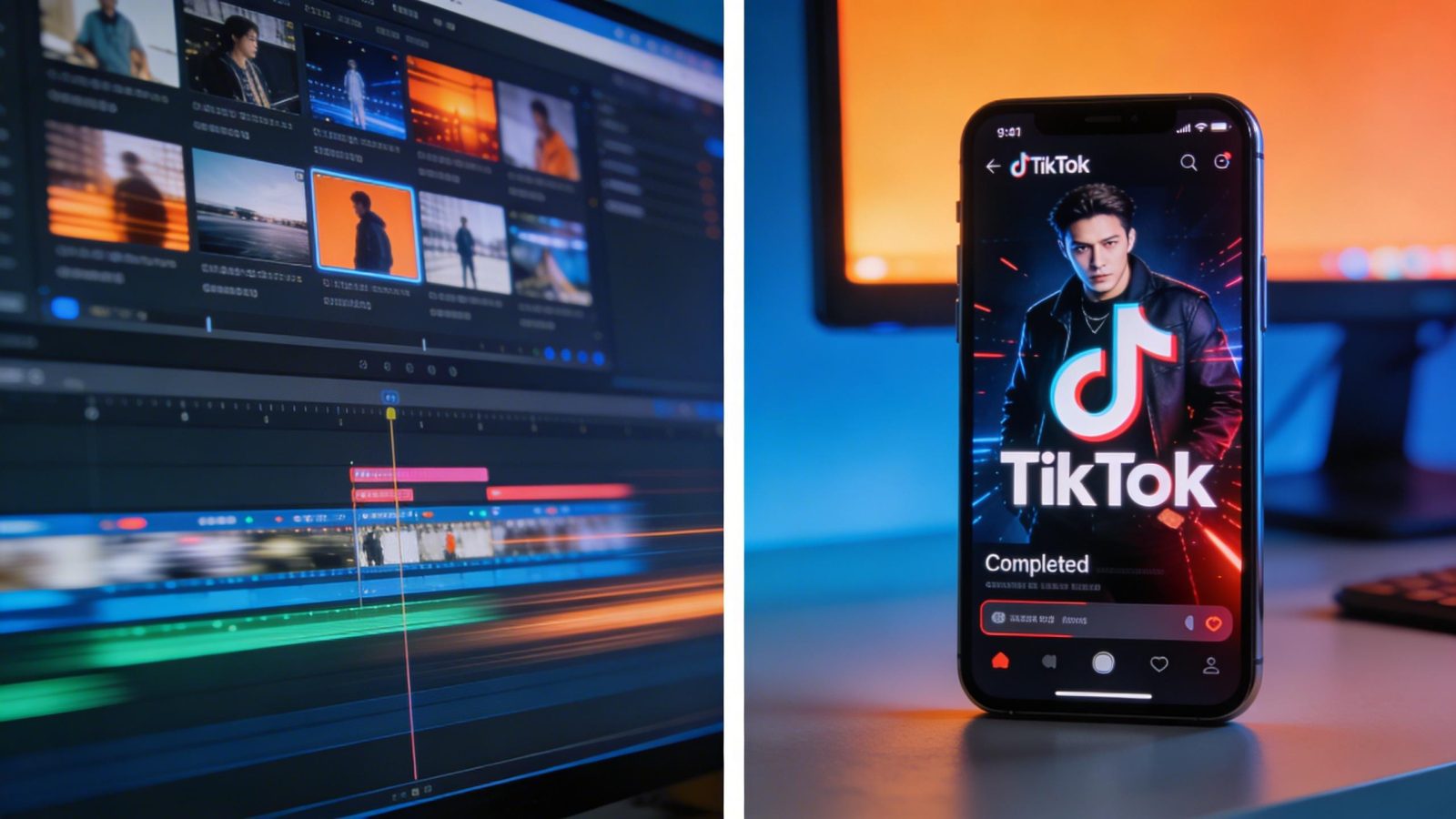
Pika 2.5 generates social media videos faster than you can write the brief for them. That’s the pitch. Upload a reference image, describe what you want, and in seconds you’ve got a TikTok-ready clip with effects that would’ve taken a motion designer an afternoon. The tradeoff: you’re not getting cinematic quality. You’re getting speed, creative effects, and a workflow built for volume. If you’re shipping 10 videos a week to Instagram Reels, that tradeoff makes sense. If you’re building a portfolio reel, it doesn’t.
Pika Labs released version 2.5 in 2025 with two signature features: Pikadditions (insert objects or characters into existing video) and Pikaffects (apply visual effects like explode, melt, or cake-ify to clips). The model targets social media creators who need rapid iteration, not filmmakers who need 4K perfection. It’s a paid platform, starting at $10 per month for 700 credits. No free tier with full access. No local deployment option. You use it through Pika’s web interface or, as of 2026, through an API via Fal.ai.
This guide documents what Pika 2.5 actually does, how it compares to competitors like Runway Gen-3 and Kling AI, and where it fits in your workflow. The company hasn’t published benchmarks, architecture details, or technical specifications. That lack of transparency is a problem for anyone evaluating AI tools seriously. So this guide focuses on what we can verify: pricing, features, use cases, and the specific scenarios where speed matters more than fidelity.
By the end, you’ll know whether Pika 2.5 solves a real problem for you or just adds another subscription to your stack.
Pika 2.5 specs: what you’re actually getting?
| Specification | Details |
|---|---|
| Model Name | Pika 2.5 |
| Developer | Pika Labs |
| Release Date | 2025 (exact date unconfirmed) |
| Model Type | Video generation (text-to-video, image-to-video) |
| Architecture | Not disclosed (likely diffusion-based) |
| Parameter Count | Not disclosed |
| Modality Support | Text-to-video, image-to-video, video effects |
| Output Format | Video (resolution and framerate unconfirmed) |
| Generation Speed | Fast (optimized for short social clips) |
| Access Method | Web platform, API via Fal.ai |
| API Availability | Yes (through Fal.ai as of 2026) |
| Pricing Model | Subscription (Standard: $10/month for 700 credits) |
| Free Tier | Limited (unconfirmed credit allocation) |
| Open Source | No (closed-source) |
| Fine-tuning | Not available |
| Safety Layers | Not disclosed |
| Geographic Restrictions | Not disclosed |
The specs table reveals a pattern: Pika Labs doesn’t publish technical details. You won’t find parameter counts, architecture papers, or benchmark scores. What you get instead is a platform optimized for a specific workflow. Text or image input. Video output. Effects you can layer on. Fast generation times marketed as “rapide” for social media use.
The pricing structure matters more than the missing technical specs for most users. At $10 per month for 700 credits, you’re paying roughly $0.014 per credit. A typical video generation costs between 5 and 20 credits depending on length and complexity. That means 35 to 140 videos per month on the Standard plan. For a social media manager posting daily, that’s workable. For an agency running multiple client accounts, you’ll need the higher tiers.
The API access through Fal.ai changes the integration story. You can now build Pika 2.5 into automated workflows instead of manually uploading files through the web interface. But the lack of documentation around rate limits, error handling, and parameter options makes integration harder than it should be. You’re working with a black box that happens to have an API endpoint.
Speed vs quality: where Pika 2.5 fits in the 2025 video AI landscape
Pika Labs markets Pika 2.5 as fast. They don’t publish generation times in seconds, and they don’t share benchmark scores against competitors. That makes direct comparison difficult. What we can compare is positioning: Pika 2.5 targets social media creators who need volume. Runway Gen-3 targets professional video editors who need fidelity. Kling AI targets advertisers who need realistic physics. Sora targets filmmakers who need cinematic quality.
| Model | Developer | Release | Speed Profile | Fidelity Focus | Best For |
|---|---|---|---|---|---|
| Pika 2.5 | Pika Labs | 2025 | Fast | Medium | Social media rapid iteration |
| Runway Gen-3 | Runway ML | 2024 | Moderate | High | Professional video editing |
| Kling AI | Kuaishou | 2024 | Moderate | High | Ads with realistic physics |
| Luma Dream Machine | Luma AI | 2024 | Variable | High (artistic) | Experimental projects |
| Sora | OpenAI | 2024 | Slow | Very High | Cinematic production |
The table shows the fundamental tradeoff in video AI right now. You can optimize for speed or quality, but not both. Pika 2.5 chose speed. That decision makes sense for its target market. A TikTok creator testing five video concepts doesn’t need 4K resolution. They need fast feedback loops. An advertising agency building a 60-second spot for broadcast needs the opposite: high fidelity, even if it takes 10 minutes to render.
Where Pika 2.5 wins: generation speed for short clips, creative effects that competitors don’t offer (Pikadditions and Pikaffects), and a workflow designed around social media aspect ratios. Where it loses: output resolution compared to Runway or Kling, video length capabilities compared to Sora, and transparency compared to literally any competitor. Runway publishes technical papers. Stability AI open-sources models. Pika Labs publishes marketing copy.
The lack of benchmarks matters more than it should. Video generation models typically get evaluated on metrics like VBench (overall quality), Dynamics Score (motion coherence), and Human Preference (subjective appeal). Without those numbers, you can’t objectively compare Pika 2.5 to alternatives. You’re left evaluating based on output samples and user reports. That’s fine for hobbyists. It’s a problem for anyone making purchasing decisions for a team.
But here’s what we can verify from user reports and demos: Pika 2.5 generates videos fast enough for real-time creative iteration. You can try an idea, see the result in seconds, adjust, and try again. That workflow matters more than raw quality for certain use cases. Just not for all of them.
Pikadditions and Pikaffects: the creative effects that differentiate Pika 2.5
Pikadditions let you insert objects or characters into existing video clips. You upload a video (up to 5 seconds long), provide a reference image of what you want to add, and describe the insertion in natural language. The model composites the new element into the scene, matching lighting and shadows. In theory.
The technical implementation isn’t documented. Likely it uses some form of video inpainting, where the model analyzes the scene’s lighting, depth, and motion, then generates frames that blend the new element. Similar to how image inpainting works, but across temporal dimensions. The 5-second limit suggests computational constraints or quality degradation over longer sequences.
Pikaffects apply visual effects to generated or uploaded videos. The effects menu includes options like Explode, Melt, Crush, Inflate, Cake-ify, and Squish. These aren’t subtle color grades. They’re stylized transformations that turn a normal video into something deliberately surreal. You select an effect, the model processes the video, and you get output with that effect applied throughout.
When these features work, they enable creative workflows that competitors don’t support. A social media creator can generate a base video, add a product using Pikadditions, then apply a Melt effect to match their brand aesthetic. That’s three steps in one platform instead of jumping between video generation, compositing software, and effects plugins.
When to use Pikadditions: product demos where you need to show an item in various contexts, meme creation where you’re inserting characters into scenes, or rapid prototyping where you’re testing visual concepts. When not to use it: anything requiring precise object placement, videos longer than 5 seconds, or professional work where compositing quality matters more than speed.
When to use Pikaffects: social media content where stylization is part of the brand, viral video formats that rely on visual gimmicks, or creative projects where you want deliberately unrealistic effects. When not to use it: professional advertising, educational content where clarity matters, or anything requiring subtle visual treatment.
The honest assessment: these features differentiate Pika 2.5 from competitors, but without performance benchmarks or quality comparisons, we can’t verify whether they work better than combining separate tools. A motion designer using After Effects for compositing and effects plugins might get higher quality results. But they won’t get them in seconds.
Real workflows where Pika 2.5’s speed advantage actually matters
TikTok and Instagram Reels rapid prototyping
A social media manager needs to test five video concepts for a product launch. The deadline is two hours. Using traditional video production (filming, editing, effects) is impossible. Using slower AI video tools like Runway Gen-3 or Sora means waiting 5 to 10 minutes per generation. Pika 2.5’s speed profile lets you generate all five concepts, review them, iterate on the best two, and deliver before the deadline.
This scenario is Pika 2.5’s strongest use case. The output quality is sufficient for social media compression. The generation speed enables real-time creative decisions. The effects (Pikaffections) let you match trending visual styles without learning effects software. For creators building full content pipelines, pair Pika 2.5’s video generation with AI thumbnail generators to maximize engagement across platforms.
Creative effect layering for marketing clips
A designer wants to create a 15-second product teaser with animated elements and stylized transitions. The base video shows the product. Pikadditions adds floating icons around it. Pikaffects applies a Crush effect to the final frame for impact. The whole process takes minutes instead of hours in traditional motion graphics software.
This workflow demonstrates why Pika 2.5 exists: it collapses multiple specialized tools into one platform optimized for speed. While Leonardo AI handles static image generation, Pika 2.5 extends creative workflows into motion graphics without requiring After Effects expertise.
Social media A/B testing at scale
A brand needs to test which visual approach drives more engagement: product in nature settings, product in urban environments, or product with animated effects. Traditional production would require three separate shoots. AI video generation lets you test all three variations by changing prompts. Pika 2.5’s speed means you can generate, post, and analyze results within a single day.
For post-generation editing and refinement, tools like VEED.io complement Pika 2.5’s raw output with professional editing features. The combination gives you speed from Pika plus polish from dedicated editing software.
Meme and viral content creation
An influencer wants to create a trending video format: the “object appears and disappears” effect. They need to generate 10 variations to find the one that resonates. Pika 2.5’s effects and generation speed enable this kind of high-volume experimentation. Pika 2.5 competes in the same viral video space as tools like Seedance 2.0, but prioritizes speed over photorealism.
Low-budget marketing for small businesses
A local business needs video ads for Instagram and Facebook but can’t afford a videographer. Pika 2.5 offers a path to professional-looking social video at $10 per month instead of $500 per shoot. The quality won’t match agency work, but it’s sufficient for local business social media where volume matters more than perfection. Pair Pika 2.5 with stock music platforms like Artlist to complete social video production without hiring composers.
Concept visualization for creative teams
A creative team wants to visualize storyboard ideas before committing to production. Traditional storyboarding uses static images. Video AI lets you see motion, timing, and transitions. Pika 2.5’s fast iteration enables rapid concept testing in client presentations. For longer-form concept work, compare Pika 2.5’s speed against MiniMax’s video capabilities and output quality.
Educational social content
An educator creating short explainer videos for social platforms needs to visualize abstract concepts. Pika 2.5’s effects enable visual emphasis (using Pikaffects to highlight key moments) and object insertion (using Pikadditions to add diagrams or icons). The speed matters because educational content often requires multiple iterations to get explanations clear. While GAuth AI handles study assistance and tutoring, Pika 2.5 can visualize educational concepts for social distribution.
Where Pika 2.5 fails: professional portfolio work
A filmmaker needs demo reel footage. The output quality requirements are high. The video needs to hold up on large screens. Compression artifacts are unacceptable. Pika 2.5’s social media optimization makes it the wrong tool for this job. For portfolio-grade work requiring higher fidelity, compare Pika 2.5 against alternatives like Pixverse AI that prioritize quality over speed.
Using Pika 2.5’s API for automated workflows
As of 2026, Pika 2.5 offers API access through Fal.ai. This changes the integration story from “manual uploads through web interface” to “automated generation in production workflows.” The API lets you send text or image prompts programmatically, receive video output, and handle generation at scale.
The setup requires a Fal.ai account and API key. You authenticate using standard bearer token authentication. The endpoint structure follows RESTful conventions: POST requests to generate videos, GET requests to check generation status, and webhook callbacks when videos finish processing. The API accepts parameters for prompt text, reference images (for Pikadditions), effect selection (for Pikaffects), and output preferences.
The gotchas: rate limits aren’t clearly documented, error messages can be vague (“generation failed” without specifics), and the API doesn’t expose all features available in the web interface. Some advanced Pikaffects options require manual selection through the platform. Webhook reliability varies, and you’ll want to implement polling as a fallback for critical workflows.
For developers building automated social media pipelines, the API enables workflows like: monitor trending topics, generate relevant video content, apply brand-appropriate effects, and post to social platforms. All without human intervention. The speed advantage matters more in automated contexts because you’re generating dozens or hundreds of videos, not just one.
Check Pika’s official API documentation for current endpoint specifications, authentication details, and code examples in various languages. The documentation updates irregularly, so verify parameter options before building production integrations.
Getting better results: prompting strategies for Pika 2.5
Pika Labs hasn’t published model-specific prompting guides. That means you’re working with general video AI best practices plus trial and error. The model responds to specific visual descriptions better than vague concepts. “A red sports car drifting through a neon-lit Tokyo street at night, rain reflecting city lights” generates better results than “cool car scene.”
Temporal sequencing matters in video prompts. Describe what happens over time, not just what appears. “Camera starts on close-up of coffee cup, slowly pulls back to reveal busy cafe, people talking in background” gives the model more structure than “coffee shop scene.” The model needs to understand motion and progression, not just static composition.
Style and aesthetic keywords influence output significantly. Terms like “cinematic,” “documentary style,” “vintage 8mm film,” or “high-contrast black and white” push the model toward specific visual treatments. For social media content, keywords like “vertical format,” “fast cuts,” or “trending TikTok style” help optimize for platform requirements.
For Pikadditions, the reference image quality matters more than prompt complexity. A clear, well-lit product photo with transparent background composites better than a cluttered image. The prompt should describe placement and interaction: “place the sneaker on the table in the foreground, casting shadows from the window light.”
For Pikaffects, less is more. The effects are strong. Applying multiple effects to one video usually creates visual chaos rather than creative impact. Pick one effect that matches your concept. If you’re using Melt, commit to that aesthetic instead of layering Crush on top.
Temperature and sampling parameters aren’t exposed in Pika 2.5’s interface. You can’t fine-tune generation the way you can with text models. That simplifies the workflow but limits control. If a generation doesn’t work, you adjust the prompt and regenerate. There’s no middle ground of “same concept, slightly different execution.”
What doesn’t work: overly complex prompts with multiple scenes or transitions. The model handles short, focused concepts better than elaborate narratives. Requests for specific camera movements often get ignored or approximated. Fine details in background elements rarely survive generation. Text overlays in prompts usually fail (add text in post-production instead).
What breaks: Pika 2.5’s documented limitations
No public benchmarks means you can’t verify performance claims. Pika Labs says the model is fast and creative. Without VBench scores, Dynamics Score metrics, or Human Preference ratings, you’re trusting marketing copy. Runway publishes benchmarks. Stability AI publishes benchmarks. Pika Labs publishes feature lists.
The paid-only model limits accessibility. At $10 per month minimum, hobbyists and students are priced out. The free tier (if it exists) isn’t documented clearly. Compare this to Hugging Face’s ecosystem of open models or Stability AI’s free tiers. Pika 2.5 assumes you’re generating revenue from social media content, not experimenting or learning.
Closed-source architecture means no customization. You can’t fine-tune the model on your brand’s visual style. You can’t inspect how it handles specific scenarios. You can’t optimize it for your use case. You use what Pika Labs ships, or you use something else.
API availability through Fal.ai adds a middleman. You’re dependent on Fal.ai’s uptime, rate limits, and pricing in addition to Pika’s constraints. Direct API access from Pika Labs would simplify integration. The current setup means troubleshooting involves two support teams.
The 5-second limit for Pikadditions is a hard constraint. If your video is 6 seconds, you can’t use the feature. No workaround. No option to process in segments. You either trim your video or skip Pikadditions.
Video length capabilities aren’t documented. Social media focus suggests optimization for clips under 60 seconds. Whether the model can generate longer sequences isn’t clear. If you need a 2-minute video, you might be stitching together multiple generations.
Resolution constraints aren’t specified. Social media optimization implies lower output resolution than cinematic tools. If you need 4K output for broadcast or large-screen display, Pika 2.5 probably isn’t the right choice. But without published specs, you’re guessing.
Generation consistency across multiple attempts varies. Fast generation often means less coherent frame-to-frame motion. This is a common tradeoff in video AI. Slower models like Sora maintain better temporal coherence. Pika 2.5 prioritizes speed, which sometimes means jumpier motion or inconsistent lighting across frames.
Security, compliance, and data policies you should know about
Pika Labs has not published security documentation, data retention policies, or compliance certifications for Pika 2.5 as of March 2025. For enterprise or regulated use cases, you’ll need to contact Pika Labs directly to get answers about data residency guarantees, content moderation policies, GDPR compliance, CCPA compliance, SOC 2 certification, or ISO certifications.
The lack of published policies is a red flag for any organization with compliance requirements. Runway publishes security documentation. Stability AI publishes data policies. Anthropic publishes detailed safety documentation. Pika Labs publishes a terms of service that doesn’t address most enterprise concerns.
Content ownership isn’t clearly documented. Do you own the videos you generate? Does Pika Labs retain rights to use your outputs for training or marketing? Can you use generated videos commercially without additional licensing? These questions matter for professional use, and the answers aren’t readily available.
Geographic restrictions aren’t disclosed. Some AI services restrict access based on user location due to regulatory requirements or infrastructure limitations. Whether Pika 2.5 works globally or has regional restrictions isn’t documented.
Deepfake safeguards aren’t mentioned. Video generation models can create misleading or harmful content. Responsible AI companies implement content moderation, watermarking, or usage restrictions. Whether Pika 2.5 includes any safeguards against misuse isn’t clear from available documentation.
For comparison, Runway’s security page details SOC 2 Type II compliance, data encryption standards, and content moderation policies. Stability AI publishes model cards with safety evaluations. OpenAI documents Sora’s safety testing and red team evaluations. Pika Labs offers a signup form.
Version history and what changed in 2.5
| Date | Version | Key Changes |
|---|---|---|
| 2025 | Pika 2.5 | Introduced Pikadditions (object insertion), Pikaffects (visual effects), upgraded video engine for sharper visuals and smoother motion |
| Unknown | Pika 2.0 | Details not publicly documented |
| Unknown | Pika 1.0 | Initial release, features not documented |
The version history reveals another documentation gap. Pika Labs hasn’t published detailed changelogs or feature comparisons between versions. We know 2.5 added Pikadditions and Pikaffects because those features are marketed prominently. What improved in the video engine (sharper visuals, smoother motion) isn’t quantified with metrics.
Without version history documentation, users can’t track the model’s evolution or predict future improvements. Runway publishes release notes with each Gen update. Stability AI maintains version changelogs for all models. Pika Labs announces features on social media.
This timeline will be updated as official documentation becomes available. Check Pika’s announcement page for the most current feature list and official pricing page for subscription updates.
More AI video tools and how they compare
Pika 2.5 joins a growing ecosystem of AI content creation tools designed to accelerate social media production. Video generation tools like Higgsfield AI offer different tradeoffs in the speed versus quality spectrum. As AI’s impact on creative professions accelerates, tools like Pika 2.5 raise questions about quality standards in social media content.
Just as users evaluate AI tool alternatives for text generation, video creators must weigh speed versus quality tradeoffs across platforms. The choice depends on your specific workflow and output requirements.
Common questions about Pika 2.5
What is Pika 2.5?
Pika 2.5 is a video generation model developed by Pika Labs, optimized for fast social media content creation with features like Pikadditions (object insertion) and Pikaffects (visual effects). It’s a paid platform starting at $10 per month, accessible through web interface or API via Fal.ai.
How much does Pika 2.5 cost?
The Standard plan costs $10 per month for 700 credits. A typical video generation uses 5 to 20 credits depending on complexity, giving you 35 to 140 videos per month. Higher tiers with more credits are available but pricing isn’t fully documented. Check Pika’s pricing page for current rates.
Is Pika 2.5 better than Runway Gen-3?
Different use cases. Pika 2.5 prioritizes speed for social media creators who need volume. Runway Gen-3 prioritizes fidelity for professional video editors who need quality. No direct benchmarks available for objective comparison. Choose based on whether you value iteration speed or output quality more.
Can I use Pika 2.5 via API?
Yes, as of 2026 through Fal.ai. The API enables automated video generation workflows but documentation is limited. Rate limits and all feature availability aren’t clearly specified. Check the official API documentation for current capabilities.
What are Pikadditions and Pikaffects?
Pikadditions let you insert objects or characters into existing video clips (up to 5 seconds long) with automatic lighting and shadow matching. Pikaffects apply visual effects like Explode, Melt, Crush, or Inflate to videos. Both features differentiate Pika 2.5 from competitors but lack published performance metrics.
Is there a free version of Pika 2.5?
A limited free tier may exist but isn’t clearly documented. Full access requires a paid plan starting at $10 per month. Compare this to open-source alternatives or platforms with more generous free tiers if cost is a primary concern.
What video length can Pika 2.5 generate?
Not officially specified, but social media focus suggests optimization for short clips likely under 60 seconds. Pikadditions specifically requires videos under 5 seconds. For longer-form content, consider tools designed for extended video generation.
How does Pika 2.5 compare to Sora?
Sora (OpenAI) targets cinematic quality with longer generation times and currently has limited access. Pika 2.5 targets social media speed with broader availability. Sora produces higher-fidelity output. Pika 2.5 enables faster iteration. Choose based on your quality requirements and timeline constraints.
