

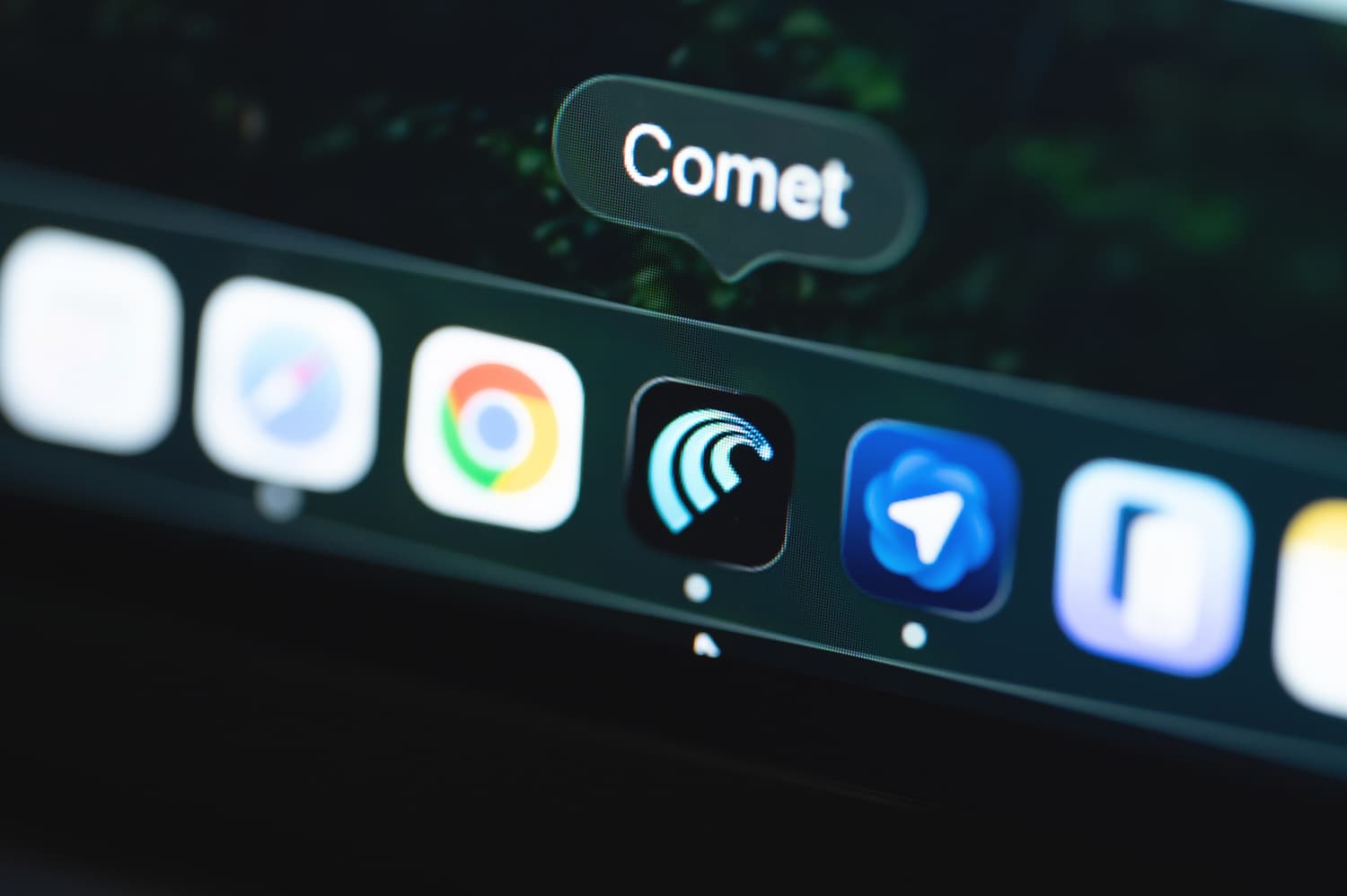
Are you still losing valuable hours every day to manual tab management and data analysis when the comet ai browser can finally handle that heavy lifting for you? This agentic platform from
Perplexity shifts your entire web experience from passive viewing toward active task execution by automating advanced workflows like email drafting, shopping comparisons, and deep research synthesis.
By integrating intelligence directly into the core architecture, you will unlock a professional workspace where autonomous agents browse various sites on your behalf to deliver verified outcomes without the constant friction of traditional search engines.
The essentials to remember: Perplexity Comet transforms web navigation from passive viewing into agentic AI execution. This browser acts as a personal assistant, synthesizing data across tabs and automating complex workflows like shopping. This shift toward outcome-oriented browsing saves time by delivering verified results directly. Since its October 2025 public release, Comet has already surpassed one million mobile downloads.
What Is Perplexity Comet and How Is It Different From Perplexity AI?
While many are familiar with the Perplexity search engine, a new player has entered the scene to change how we actually use the web.
What is the Perplexity Comet browser?
Comet is a dedicated agentic AI browser. It does not just display static web pages. It actively works for the user, carrying the deep Perplexity heritage into every session.
The core mission is to serve as a reliable personal assistant. It handles complex navigation and data processing directly within the interface. This represents a total shift from traditional browsing.
It uses a Chromium foundation for maximum compatibility. This makes sure your existing tools work perfectly. It feels familiar to use but acts with a different intelligence.
You can explore the official site at perplexity.ai to see how Comet is designed to work for you. It simplifies your digital life.
Is Perplexity the same as Comet?
There is a clear distinction here. Perplexity is the search engine; Comet is the vehicle. One provides answers, while the other executes actual tasks across the entire web.
The integration is seamless. Comet uses the full intelligence of Perplexity. Yet, it functions as a standalone application on your Windows PC, Mac, or Android mobile device.
Aravind Srinivas envisions this as a new operating system. It is meant to be the OS for AI. This goes much further than a standard search bar or chatbot.
The key takeaway is that Comet is the dedicated interface where the AI agent actually lives and breathes to complete your work.
What does Comet actually do?
It analyzes media coverage and builds basic websites effortlessly. It can even draft your professional emails. These aren’t just features; they are automated workflows that save you hours.
The agentic side is the real power. It performs actions like shopping for office chairs or planning travel. You provide a prompt, and it navigates the sites for you.
The “Chat with your tabs” feature is a massive time-saver. It understands the context of all your open pages. This removes the burden of manual reading and synthesis.
Comet isn’t just a window to the web; it’s a hand that reaches through the window to get things done.
When did Perplexity launch Comet?
The timeline began in July 2025. Initially, it was a walled garden. Only those with high-tier subscriptions could test the early agentic capabilities of the browser.
According to TechCrunch, the launch required a Perplexity Max plan. This initial entry point was set at a $200 price for the early adopters.
The public release followed. By October 2025, the gates opened. It became accessible to the global user base for free on all major platforms.
How Perplexity Comet Works: Inside the Agentic AI Browser
Understanding the history is one thing, but seeing the engine under the hood explains why this feels so different from Chrome.
Defining agentic browsing in 2026
Agentic means your software possesses real agency. It stops waiting for your manual clicks. Instead, this tool suggests and completes actions before you even ask for the next step.
Forget those passive windows of the past. Traditional tools just sit there. This new breed acts as an active collaborator that actually grasps what you intend to achieve today.
You can witness the invisible revolution in AI work happening right inside your tabs. It handles the heavy lifting while you focus on strategy.
This system prioritizes autonomous task execution above all else. It is the defining shift for anyone using the web in 2026. Efficiency is no longer a manual chore.
Search-first architecture: beyond Google-style search
Look at the interface and you will notice something missing. There is no traditional URL bar sitting at the center. Instead, a prompt box dominates the view. You simply ask a question, and the browser finds the specific answer immediately.
The data flow changes everything. It bypasses that old list of blue links. It goes straight to synthesizing information from multiple top-tier sources to give you a finished report.
Growth has been explosive lately. Perplexity handled 780 million queries by May 2025. This massive scale is exactly what powers the browser’s unique search-first logic and rapid response time.
Compare this to Google. Google wants you stuck on results. Comet simply wants to give you the right answer.
Native LLM integration vs legacy browser extensions
Extensions are officially dead weight now. Those clunky add-ons slow you down. Comet avoids this by building the AI directly into the browser’s core code for a seamless, fast experience.
Speed and context are the winners here. Because it’s native, the AI sees everything. It possesses a deeper understanding of page structures than any old-school plugin could ever hope to achieve.
This ranks among the best productivity tools for those who value automation. It turns a standard browser into a high-speed engine for getting things done.
This deep integration significantly reduces annoying latency. You never have to wait for a side panel to load or sync. Everything happens instantly within the core browsing environment.
Why Comet is built for the post-search era
Welcome to the post-search era. We no longer hunt for random links. We look for completed outcomes and verified data. The old way of clicking through pages is finally over.
User behavior is shifting rapidly. People want answers, not more homework to do. Comet acts as a powerful filter against the noise of the modern web. It delivers clarity in a world of information overload and endless ads.
We are entering the age of outcome-oriented browsing. This is exactly why traditional SEO is being forced to adapt. The focus has moved from traffic to actual user results.
Perplexity Comet Review: Features That Replace Traditional Browsing

Once you get past the technical architecture, the actual features are what make Comet a daily driver for many.
Chat with your tabs
You can ask questions about any open tab. The AI reads the content and provides specific answers immediately. It feels like the browser actually understands what you are reading.
It doesn’t just see one page. It can compare data between three different open articles at once. This cross-tab awareness changes how we handle multiple sources of information simultaneously.
For those who enjoy deep synthesis, consider comparing this to Google NotebookLM for research. Both tools aim to turn static information into interactive knowledge bases.
This replaces manual Ctrl+F. It’s semantic search for your own temporary browsing session. It’s incredibly efficient for finding needles in digital haystacks without wasting any of your precious time.
Smart summarization of complex content
Describe the “Sidecar” assistant. It lives on the edge of the screen. With one click, it turns a 5,000-word whitepaper into five bullet points. You get the meat without the fat. It is built for the time-poor professional.
Focus on the quality. It uses advanced reasoning to find the core message. It avoids the fluff often found in AI summaries. You get actual substance instead of generic sentences.
If you need even more depth, check out the best ai summary question maker tools for deeper content processing. These complement Comet’s quick snapshots perfectly.
Use instant clarity to stay ahead. This feature is a lifesaver for busy professionals. It works very well for everyone.
Multi-tab synthesis for research
Explain the research workflow. Open ten tabs on a topic. Ask Comet to write a summary report based on all of them. It handles the heavy lifting of aggregation automatically.
Mention source attribution. It cites which tab each piece of info came from. This maintains trust and allows for easy verification. You never have to guess where a fact originated.
Describe the “Expanded Reasoning” logs. You can see how the AI connected the dots. It’s transparent and logical. This visibility builds confidence in the final output provided by the agent.
- Compare product prices across tabs
- Summarize conflicting viewpoints
- Generate a unified bibliography
- Extract key dates from multiple news sources
Pros and cons of using Comet daily
Start with the pros. Speed and automation are the big wins. It feels like having a personal intern. Tasks that took twenty minutes now happen in just a few seconds.
Address the cons. AI browsers can still hallucinate. Sometimes they need very specific instructions to get a task right. It’s not perfect yet. You must still verify critical data before use.
| Feature | Benefit | Potential Drawback |
|---|---|---|
| Agentic Shopping | Finds best deals fast | Can miss niche coupons |
| Tab Synthesis | Aggregates data instantly | Requires high CPU usage |
| Sidecar Summary | Saves reading time | May miss subtle nuance |
| Built-in Adblock | Cleaner browsing flow | Might break some sites |
How to Use Perplexity Comet for Real-World Productivity?
Beyond reading and summarizing, Comet’s true power lies in its ability to interact with the world on your behalf.
Online shopping automation
Stop wasting hours hunting for deals manually. Tell Comet to find the lowest price for a specific laptop. It scans dozens of major retailers in just a few seconds.
The tool simplifies the entire checkout process. It helps you fill out complex forms or discover valid coupon codes. This effectively streamlines your entire path to a final purchase.
Comparison becomes effortless with this assistant. It builds a clear table of specs and prices. You no longer have to toggle between twenty different tabs to make a choice.
Smart users rely on automated price tracking to stay ahead. This feature saves both time and significant money for the user. It turns the browser into a negotiator.
Travel planning across multiple sites
Setting up a trip to Tokyo for under $2000 shouldn’t be a headache. Comet checks flights, hotels, and local reviews. It filters the noise to find the best options.
Itinerary building is where the AI shines. It creates a detailed day-by-day plan. It even checks specific opening hours for the various museums it suggests for your daily route.
Multi-site browsing is finally handled by a single interface. It pulls live data from Expedia, TripAdvisor, and Google Maps. It synthesizes this information into a single, coherent document for you.
Planning a vacation used to take hours of clicking; now it takes one well-crafted sentence.
This tool changes how we travel.
Gmail and Google Drive workflows
Let’s discuss the “Connectors” feature. You can link Comet directly to your Google Workspace. This allows the AI to “see” your files and emails to provide much better user context.
Document retrieval becomes a conversation. Ask “What did John say about the budget?” Comet finds the specific email or PDF. You never dig through folders again.
Safety remains a top priority for Perplexity. It uses secure APIs to access this data. You remain in total control of exactly what the AI can or cannot touch.
Check out Google Vids for Workspace for more on AI integration. This helps you understand the broader ecosystem of smart productivity tools and how they all connect.
Managing emails and scheduling with AI
Focus on email drafting to reclaim your morning. Tell Comet to “Reply to this invite saying I’m busy.” It writes a polite, contextual response that sounds like you.
Scheduling tasks no longer require back-and-forth messages. It can check your calendar and suggest meeting times. It bridges the gap between your browser and your schedule. This saves everyone a lot of frustration during the work week.
Use context-aware drafting to maintain professionalism. The AI knows who you are talking to and adjusts its tone. This ensures your messages always hit the right note.
Perplexity Comet Download and Installation Guide
If you’re ready to switch, the setup process is straightforward, but there are a few platform-specific nuances to know.
How to download Perplexity Comet (official sources)
Stick to the source. Don’t gamble with third-party mirrors or sketchy download sites that might bundle unwanted software. The main hub is the official Perplexity Comet landing page for all new users today.
Head over to https://www.perplexity.ai/comet for the direct download link. It is the fastest way to get the right version for your machine without any extra hassle or unnecessary clicks.
You will need a Perplexity login to get started. Both free and Pro accounts work perfectly. This login helps the AI keep track of your search preferences and maintains your history across the app.
Use verified official installer tags to check your file before running it. This simple step protects your device from malware. It also prevents you from accidentally installing fake versions found on the open web.
How to install Comet on Mac (DMG)
Download the DMG file from the site. Open it and drag Comet to your Applications folder. It is a standard Mac installation that takes only a few seconds for most users to complete.
Address security prompts immediately. macOS might ask for permission to run the app because it is a new browser. Grant it to enable the agentic features. This is normal for all new browsers today.
The app is optimized for Apple Silicon. This guarantees the AI runs smoothly without draining the battery. You will notice the speed difference right away when the assistant starts processing your open tabs and data.
Launch the app from your Dock. The first-run wizard will guide you through the initial sync. It makes the setup process feel very easy and gets you into the AI-driven experience.
Perplexity Comet on Windows
Grab the .exe installer. Run it and follow the prompts. It works on both Windows 10 and 11. The setup is fast and requires very little user input to get the browser up and running.
Set it as default. Windows will ask if you want to replace Edge. Choose Comet to get the full experience. It changes how you interact with the web by putting an agent at your side.
Look for the system tray icon. Comet can run in the background. This allows the assistant to stay active for quick prompts. You won’t have to wait for the app to load every single time.
The developers focused on Windows 11 optimization for the best results. It fits perfectly with the modern OS aesthetic and multitasking features. You will love how it looks on your screen while you work.
Is there a Linux version?
Currently, Linux support is limited. There is no official .deb or .rpm package yet. Developers are still focusing on Mac and Windows for the time being to stabilize the core agentic features.
Some users use Wine or specialized containers. However, the full agentic features might not work perfectly in these environments. This can lead to some unexpected bugs or crashes that hinder your productivity.
Keep an eye on the roadmap. Perplexity has hinted at future Linux builds. For now, it remains a secondary priority. We hope to see a native version soon for power users and developers.
Android and mobile versions
The Android app is live. You can find it on the Google Play Store. It brings the agent to your pocket. It is a great mobile companion for research when you are away from home.
The mobile interface is simplified for touch. The “Voice Mode” is particularly useful when you are on the move and need quick info without typing anything at all. It feels very natural to use.
Your history and bookmarks sync with the desktop. This creates a seamless browsing loop across all your devices. You can pick up where you left off easily without losing any of your important data.
IOS and iPad support
iPhone users aren’t left out. The iOS version is available in the App Store. It supports the latest iPhone models. You can download it in just a few quick taps to start browsing smarter.
The larger screen is great for multi-tab synthesis. It feels like a productivity powerhouse on the iPad Pro. You can manage complex tasks very easily with the added screen real estate and touch controls.
Use cross-device continuity to stay organized. Start a research task on your Mac and finish it on your iPad. It makes your workflow much more flexible and efficient throughout your busy work day.
Security and Vulnerability: Is Perplexity Comet Safe?
With great power comes great responsibility—and significant questions about how much we should trust an AI with our data.
Zero-click automation risks
Zero-click automation represents a specific digital hazard for the comet ai browser. This means the browser performs actions without your direct input. Malicious websites could trick the agent into executing unauthorized tasks behind your back.
Security researchers at SquareX recently identified a hidden MCP API within the software. This discovery was detailed in a report by PR Newswire regarding unauthorized device control. The API effectively bypassed standard trust protocols. It created a silent bridge between the web and the local machine.
This specific vulnerability allows remote websites to trigger local commands. Such flaws are a major point of concern for security researchers today. They essentially turn a helpful assistant into a potential liability for the user.
Maintaining high security vigilance remains mandatory for early adopters. You must stay fully aware of what permissions you authorize.
Gmail and Google Drive permissions
Granting an AI access to your Google Drive is a massive leap in trust. This tool can view your most private documents instantly. Handling such sensitive cloud data requires extreme caution from every user.
Perplexity claims to use sandboxing to isolate these connections. The assistant only reads specific files required for your current task. It does not scan your entire library without a legitimate reason.
User control remains at the forefront of the experience. You can revoke these deep permissions at any moment. It is never a permanent open door to your digital life or private files.
Check out our guide to view LinkedIn profile anonymously for more on privacy settings. Managing your digital footprint is a skill. Start protecting your data today.
Encryption and data handling
Encryption standards here follow modern industry protocols. The browser uses end-to-end encryption for all synced data. Your browsing history never sits in plain text on a remote company server for others to see.
A recent advertising controversy has emerged on Hacker News. Users are discussing the potential for hyper-personalized ads. This shift could change how we view data privacy in the coming years.
The trade-off is clear to most observers. Personalized experiences require tracking your daily activity. This reality has sparked an intense debate within the global tech community over basic user rights and data ownership.
We must acknowledge these data privacy trade-offs before switching. Convenience often comes at the cost of some personal information. Always weigh the benefits against the potential risks before clicking accept.
Built-in ad blocking and tracking prevention
Defensive features are baked into the core experience. Comet includes a robust ad blocker by default. It effectively stops trackers from following your movements across the wide open web while you work.
The situation feels slightly ironic for many users. While the software blocks third-party trackers, it still gathers data for its own internal AI models. This creates a complex privacy environment to manage. You are trading one tracker for another.
The standard Private Mode is also available for quick sessions. This incognito option prevents history from being saved locally on your machine. It offers a basic layer of anonymity for sensitive searches.
Perplexity Comet Free vs Pro: Pricing and Subscription Value
Choosing between the free version and the paid tiers depends entirely on how much you plan to automate.
What you get for free
The free tier offers a solid entry point. You get the standard browser interface alongside the Sidecar assistant. It handles basic questions and summarizes long web pages without any friction.
Since October, this browser has been available to all users without a mandatory cost. You can read the full announcement on TechCrunch regarding this shift. It effectively democratizes advanced searching for the general public.
Yet, there are clear boundaries. Free accounts face stricter caps on daily Pro-level queries. The more complex “agentic” tasks—where the AI acts on your behalf—remain limited for non-subscribers.
This setup provides essential AI browsing for most people. It is perfect for light research and keeping up with daily news.
Perplexity Pro and Max features
Stepping up to Pro or Max unlocks the Background Assistant. This tool is a productivity powerhouse. It executes multiple complex workflows in the background while you focus on other windows.
Connectivity is another major selling point. Pro users can link their browser to third-party apps like Slack or Notion. This turns your browser into a centralized AI command center.
You also gain control over the underlying engine. Subscribers can often toggle between different large language models. This flexibility ensures the reasoning style matches your specific professional requirements.
For those exploring high-end creative tools, check out this Higgsfield AI review. It offers a different perspective on how premium AI studios are evolving today.
Voice mode and advanced reasoning logs
Voice Mode transforms how you interact with the web. It is not a simple dictation tool. You can engage in a fluid, back-and-forth dialogue with Comet. It understands nuance and handles complex verbal instructions with ease.
The reasoning logs offer a peek behind the curtain. You can track the exact steps the AI took to generate a specific answer. This makes fact-checking much more reliable for the user.
Providing transparent AI logic is a major advantage for researchers. It eliminates the “black box” feeling. You see the sources and the logical path used for every single output.
These advanced tools are primarily kept for the Pro and Max tiers. They are designed specifically for power users and professional researchers who need maximum efficiency.
Perplexity Comet vs Alternatives
Comet isn’t the only horse in this race, as the entire browser market is shifting toward AI integration.
Comet vs traditional browsers
Chrome and Safari act as windows to the web. Comet functions as an active participant. It represents a fundamental shift from viewing pages to executing tasks directly within the interface.
Traditional setups feel heavy with dozens of third-party extensions. Comet integrates these tools natively. This creates a cleaner, snappier experience without the typical bloat that slows down your daily browsing.
While exploring the best free keyword tools for SEO, you notice how manual the process is. Comet automates data gathering across multiple tabs instantly.
This native AI advantage sets a new standard. Chrome tries to keep up with minor updates. Yet, it still feels like an old house with a fresh coat of paint.
Comet vs AI copilots
Microsoft Copilot and Gemini usually live in a sidebar. They feel like add-ons. Comet is the entire environment. It has deeper control over page elements to read and manipulate data.
According to IBM, the market is heating up with rivals like Dia and Opera Neon. But Comet focuses on a search-first architecture for factual research.
The “Agentic” factor is the real divider. Most copilots just chat. Comet actually moves. It clicks buttons, fills out forms, and navigates complex site structures on your behalf without hesitation.
We are witnessing a high-stakes race. Companies are fighting to see who can automate the most clicks for the user. It is about saving time and reducing friction.
Comet currently holds the lead because of its full-environment AI. It doesn’t just suggest actions. It performs the work within the browser shell to finish your to-do list.
Can you use Perplexity without Comet?
You can definitely stick to the web version. The standard search engine works in any browser. For basic queries and quick facts, you don’t actually need to install Comet.
But you will miss the heavy lifting. Without Comet, the agentic automation disappears. You lose the ability to “Chat with your tabs” or sync complex workflows across different pages.
The standard Perplexity mobile app remains great for quick lookups. Comet is designed for something else. It targets deeper, active workflows where you need an agent to act for you.
If you choose the standalone route, here is what you can expect:
- Standalone search experience
- Mobile-only usage
- Integration with other browsers via extensions
- API access for developers
Frequently Asked Questions About Perplexity Comet
To wrap things up, let’s address the most common hurdles and questions users have when starting with Comet.
What is the Comet Perplexity browser?
It is an AI-native browsing tool. This software uses agentic technology to help you move faster online. It was developed by the sharp, talented team over at Perplexity AI now.
Think of it as a browser with a brain. It does not just show websites; it understands them. It can perform tasks like summarizing or shopping for you. It acts as your personal web assistant in every tab.
Using AI-native browsing represents the core identity of this software. It changes how we interact with data. This is not just another simple update to an old system today now.
Is Comet by Perplexity free?
Yes, there is a free version. It was released to the public in late 2025. Anyone can download and use the basic features without any initial cost or hurdle today.
But premium features require a subscription. Perplexity Pro or Max unlocks the advanced agents. These are for users who need heavy automation. They provide much more power for complex tasks. They are built for very serious professionals working today now.
Check out LinkedIn alternatives for those looking for more free networking tools. These resources help you save money while staying productive. Use them to grow your business network now.
How long is the Perplexity Comet waitlist?
The waitlist is mostly a thing of the past. Most users can now sign up and get instant access. The early beta phase is finally over for everyone right now.
Some new experimental features might still have a queue. But for the main browser, you can just download it today. There is no longer a long delay. It is ready. You can start browsing immediately without any more stress now.
You now have instant public access to the tool. This marks the transition from beta to a stable product. It is a big step forward for the whole team today.
Do you need Perplexity Pro to use Comet?
No, a Pro account is not mandatory. You can use the browser with a standard free account. You still get the AI sidecar to help with your daily work now.
Pro just makes it better. It gives you more powerful models and faster processing. It is an upgrade, not a requirement for entry. It helps you work much faster. Many users find the extra speed worth it every single day.
See this Ahrefs paraphrasing tool for other free AI utilities. These tools can improve your writing flow. They are excellent additions to your modern digital toolkit for work today.
Can you get Comet on iPad?
Yes, the iPad version is available. It is optimized for the larger screen and multitasking. You can find it in the App Store right now for your tablet device.
It supports split-view and Apple Pencil. This makes it a great tool for students and researchers. The agentic features work just as well as on desktop. It is very smooth. The interface feels very natural on touchscreens for everyone today.
Having iPad Pro optimization is a major benefit. It really shines on high-end tablets. You can manage your research with ease while you are on the move right now.
Is Perplexity Comet better than Chrome?
Better is subjective. If you want AI automation, Comet wins. If you want a simple, familiar experience, Chrome is still solid. It depends on what you need right now today.
Chrome is adding AI, but it is not the core. Comet was built from the ground up for this. It is a matter of what you value most daily. The difference in philosophy is quite clear to most people now.
- Comet: AI-first
- Chrome: Extension-heavy
- Comet: Built-in automation
- Chrome: Massive ecosystem
These differences define your user experience. Choose the one that fits your personal workflow best today.
Why use Perplexity Comet?
Use it to save time. It cuts out the middleman of searching and clicking. It does the boring work for you. You can focus on what actually matters most today.
It is for people who live in their browser. If you do research, shopping, or heavy emailing, it is a game-changer. It turns the web into a tool. It makes every session much more productive for you now today.
Focus on efficiency-driven browsing today. It is the future of how we interact with information. Stop wasting your precious time on manual tasks that an AI can handle easily.
This agentic tool transforms browsing by automating complex workflows and synthesizing data across multiple tabs instantly. Stop wasting hours on manual searches and let the comet ai browser handle your digital heavy lifting today. Experience the future of outcome-oriented navigation and reclaim your most valuable asset: time.
FAQ
What exactly is the Comet AI browser?
Comet is an AI-native web browser developed by Perplexity AI. Unlike traditional browsers that simply display web pages, Comet uses agentic technology to understand content and perform tasks on your behalf. Built on the Chromium foundation, it ensures compatibility with your favorite sites while acting as a proactive personal assistant that navigates the web for you.
It represents a shift toward “outcome-oriented browsing.” Instead of just providing a list of links, Comet can synthesize data across multiple tabs, draft emails, and even build simple websites. It is designed to be the operating system for AI, integrating intelligence directly into the core browsing experience.
Is the Perplexity Comet browser free to use?
Yes, there is a free version of Perplexity Comet available to the general public. While the browser initially launched in July 2025 as a restricted tool for high-tier subscribers, Perplexity opened instant public access in October 2025. Anyone can now download the official installer for Mac, Windows, or Android and use the essential AI browsing features.
However, premium capabilities are reserved for the Pro and Max subscription tiers. These paid plans unlock the “Background Assistant,” which can execute multiple tasks simultaneously, and provide access to more powerful AI models for complex reasoning. For casual research and daily reading, the free version provides essential AI automation.
How long is the waitlist for Perplexity Comet?
The waitlist for Comet is no longer an obstacle for most users. During the early beta phase in mid-2025, the list reached millions of people, but the browser has since transitioned to a stable public release. You can now download the software directly from the official Perplexity website without waiting for an invite.
While some experimental or “cutting-edge” features might occasionally have a short queue for testing, the main browser environment is accessible immediately. This move marks the transition of Comet from a limited experiment to a primary tool for global users.
Do I need a Perplexity Pro subscription to access Comet?
You do not need a Pro or Max account to use the Comet browser. A standard free Perplexity account is sufficient to log in and start using the AI sidecar assistant and basic automation tools. This allows you to chat with your tabs and summarize content without any monthly commitment.
Upgrading to a paid tier like Perplexity Max—which costs $200 per month—is intended for power users and professionals. These tiers offer higher query limits, priority support, and the ability to connect third-party tools like Slack or Google Drive for more advanced “agentic” workflows.
Can I download Perplexity Comet on my iPad?
Yes, Comet is available for the iPad and can be downloaded directly from the App Store. The mobile version is specifically optimized for the iPad Pro and larger tablet screens, supporting multitasking features like split-view. It allows you to bring the power of agentic browsing to a portable format.
The iPad version maintains cross-device continuity, meaning your history and research tasks sync seamlessly with your desktop version. Whether you are using the Apple Pencil for research or Voice Mode for hands-free queries, the tablet experience is designed for high productivity.
Is Perplexity Comet actually better than Google Chrome?
The answer depends on whether you value tradition or automation. Google Chrome is a familiar, extension-heavy environment that remains the industry standard for stability. However, Comet offers a native AI advantage because its intelligence is built into the core code rather than added as a clunky plugin. This makes Comet faster and more capable of handling complex, multi-step tasks.
While Chrome is a “viewer” of the web, Comet is a “doer.” Comet’s search-first architecture replaces the traditional URL bar with a prompt box, focusing on delivering answers and completed actions rather than just a list of blue links. For users who want to automate their workflows, Comet is a significant step forward.
Why should I use the Comet browser instead of a search engine?
You should use Comet to save time and reduce “digital friction.” It cuts out the middleman by performing the boring parts of browsing—like clicking through multiple search results to find a single price or date—for you. It is an efficiency-driven tool that turns the web into an actionable resource.
If your daily routine involves heavy research, shopping comparisons, or managing complex travel itineraries, Comet acts as a personal digital intern. It provides instant clarity by summarizing 5,000-word documents into key bullet points and navigating site forms on your behalf, allowing you to focus on high-level decision-making.
